
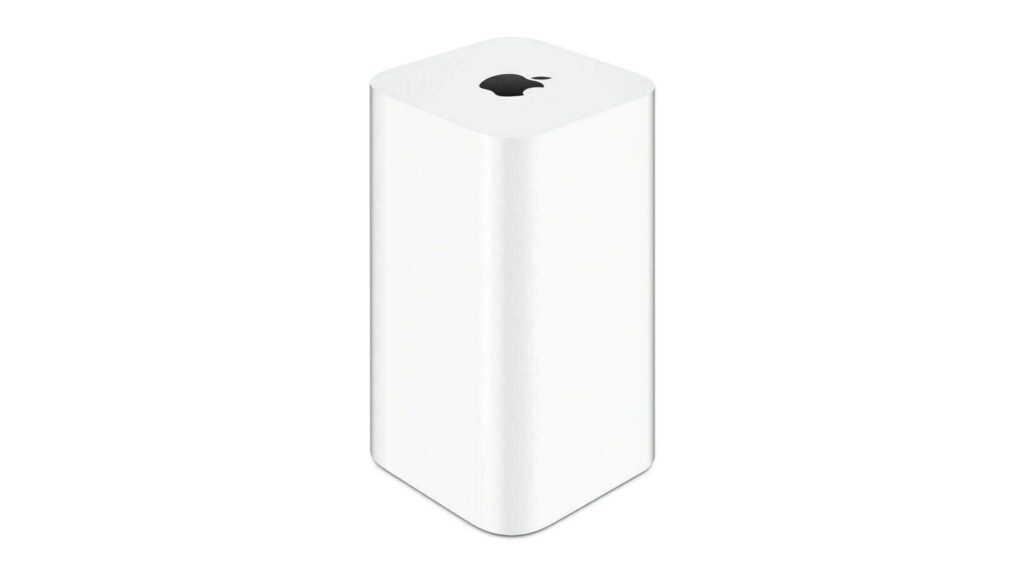
macOS 27 Golden Gate removes support for AFP, ending Time Machine’s compatibility with Time Capsule after nearly two decades, but a community project from a Microsoft engineer offers a potential workaround for owners who aren’t yet ready to move on.
Apple’s Time Capsule was introduced at Macworld Expo in January 2008, combining a Wi-Fi router with NAS-style network storage designed to work in tandem with Time Machine backup software. Apple officially ended development of the entire AirPort line in April 2018, with the $99 AirPort Express, $199 AirPort Extreme, and $299 AirPort Time Capsule available only while supplies last. The line was completely sold out as of November 2018. Before that, Apple hadn’t updated its AirPort products since 2013.
AFP dates back to 1988, when Apple designed a native file sharing protocol for the Macintosh as part of the AppleTalk networking suite. SMB became the primary file sharing protocol in OS X 10.9 Mavericks in 2013, and the ability to run an AFP server was removed in macOS 11 Big Sur in 2020.
Apple officially deprecated the AFP client in macOS Sequoia 15.5, and when macOS 26 Tahoe launched, a warning in System Settings confirmed that AFP support and Time Capsule compatibility would end with macOS 27. As expected, the first developer beta of macOS 27 Golden Gate contains no AFP clients, effectively ending a protocol with over 40 years of history in the ecosystem Apple.
All Time Capsule models rely on AFP and SMBv1, the original version of Server Message Block from 1987. Starting with macOS 27, Time Machine requires SMBv2 or SMBv3, which covers modern NAS hardware but excludes each Time Capsule model in its original form. macOS 27 also imposes stricter network security requirements, including TLS 1.2 at a minimum, a bar that Time Capsule hardware cannot meet.
The community’s response is a GitHub project called TimeCapsuleSMB, created by Microsoft engineer James Chang. Rather than replacing Apple’s firmware, it installs a modern version of Samba directly on the Time Capsule. The device runs a Samba 4.24.3 server, announces itself via Bonjour, and accepts authenticated SMB3 connections, so users can connect via a standard SMB URL in Finder rather than relying on Apple’s legacy stack.
Only the 2013 fifth generation Time Capsule tower model automatically restarts the Samba server after a reboot. Previous models required a manual activation command every time the device lost power, meaning backups could shut down silently after an outage. It’s also worth noting that switching to SMB via TimeCapsuleSMB initiates a new Time Machine backup chain, with the new destination treated as a fresh start. There are no long-term recovery tests published for the project, so a second backup destination is recommended.
macOS 27 Golden Gate is currently in developer beta, with a public beta planned for July and a general release planned for September. It’s only compatible with Apple Silicon Macs, meaning Intel Mac users who remain on macOS 26 can continue to use Time Capsule for the foreseeable future. Apple silicon owners looking to upgrade will first need a compliant backup target, whether that’s a modern NAS, an external drive, or a patched Time Capsule running TimeCapsuleSMB.
