
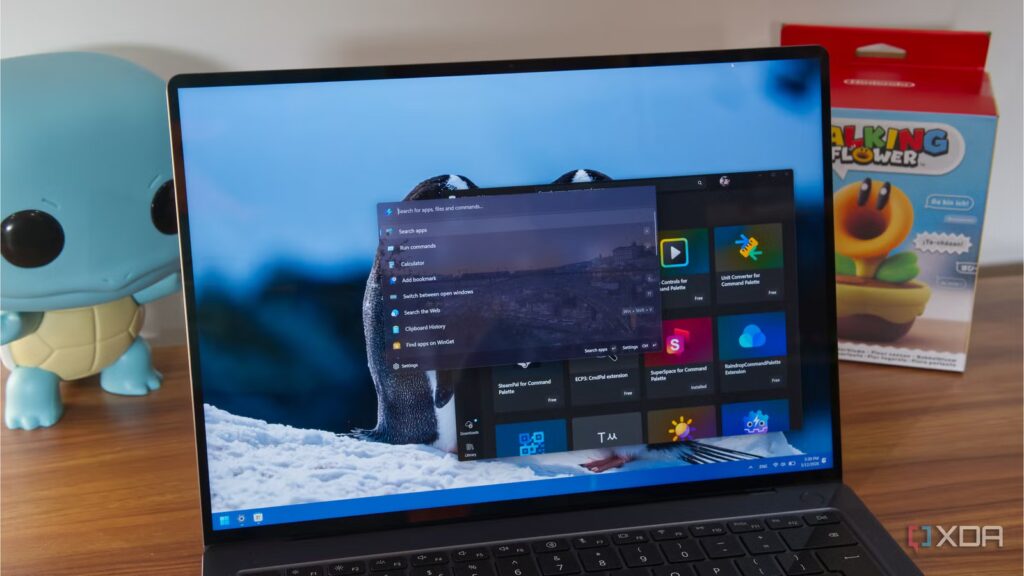
PowerToys is a set of tools that Microsoft considers inappropriate for mainstream users. I don’t agree with Microsoft’s point of view, but I’m glad they really focused on integrating better tools every couple of months. PowerToys Run was a basic form of floating launcher with search capabilities and a few other quirks. I liked this tool for its simplicity, but Microsoft took it a step further by renaming it Command Palette, with features and a new design that aligns with tools like Flow Launcher.
Although the nascent Command Palette edition is not a direct competitor to Flow Launcher, recent upgrades have put it on par with third-party tools. It offers better extension support, faster search performance, and greater customization. Let’s take a look at why it’s now an essential part of my workflow.
Improved search performance
Well-made basics
The main reason to use a launcher like Command Palette or Flow is a better search experience. The tools should replace Windows Search and be fast. Older editions of Command Palette were better than traditional search, but were a bit behind when compared to the speed of the Flow launcher.
But with recent updates, I don’t see the tiny lag in launching the bar or searching for an item in the command palette. Another big change is the integration of Everything as an extension for the command palette. Previously, you could do this manually by downloading the files and then editing the Run tool.
Now I use the ECP3 extension with the command palette and directly launch the search bar powered by Everything with a custom shortcut. If you’re not familiar with the Everything app, it’s a simple tool that offers lightning-fast search results. Integrating it with a launcher like Command Palette or Flow brings the power of the tool inside.
I want to point out a minor flaw that I noticed during setup. After downloading and installing the extension, I installed stable version 1.4 of the Everything app. The problem with this approach was a mismatch between the version the extension referenced (1.5a) and the version of the application I was using. If you do the same, you will see an error when using All in the command palette.
The solution is to match the correct version of the application with the extension. I installed Everything 1.5a and then my command palette search experience improved. Even the Flow launcher supports Everything integration, so the two tools aren’t much different.
8 Reasons Why You Should Use PowerToys on Your Windows PC
Take your productivity to the next level
The command palette opens bigger doors
PowerToys suite at your disposal
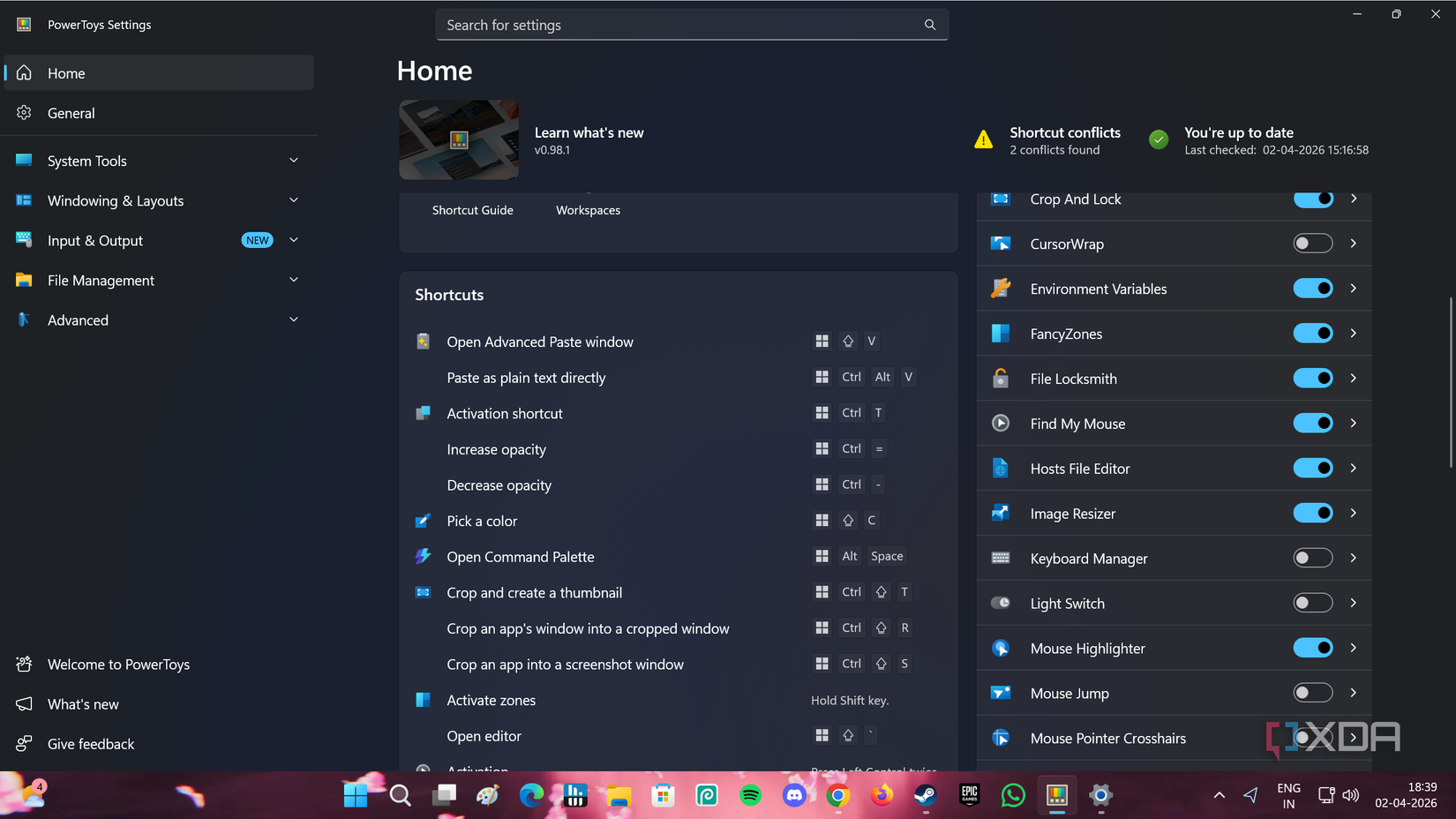
Command Palette is not a standalone utility like Flow or other launchers. It’s part of a suite, and it gives me more of the tools I need in my workflow. PowerToys Peek, Registry Preview, Fancy Zones, and Mouse Utilities are just some of the tools I can’t live without. I can access these tools from the Command Palette, saving me the hassle of having to visit their individual settings pages.
Flow Launcher doesn’t have such a niche toolkit and relies on plugins to add certain features. If you try to run the Winget command in the Flow launcher, it simply opens a terminal window and automatically closes it before you can do anything.
Command Palette has deep Winget integration, making it easy to find and install packages on my system. I can add the Winget plugin to ease the pain in the Flow launcher to some extent, but it’s not like the native experience. So, I get a reliable launch experience and a horde of other useful tools if I choose PowerToys.
Extensive customization
A new dock experience

The command palette supports extensive customization: I can switch between theme modes and material options, adjust the appearance, and even add a custom background. While I understand that a search bar doesn’t need to be too distracting, having the option to do so makes it similar to Flow Launcher’s customization options. You still can’t use custom themes in the Command Palette, but I don’t think it’s necessary.

There’s also a new Dock in the Command Palette that replaces the native taskbar. You can add apps, monitor resources, change the dock’s position, and adjust its appearance, like the command palette’s search bar. It’s still in beta, but I have no problem using it as my taskbar after hiding the old one.
Flow Launcher’s ecosystem of plugins (extensions) is huge and Command Palette will take some time to adapt to. But most of these additional plugins are niche, and from a search bar perspective, I won’t need them in my daily workflow. You can create custom extensions in the Command Palette, but it’s a tough cookie for normal Windows users. The Microsoft Store has a small set of plugins, and you can find some good ones, like ECP3, Steam, and Tailscale extensions.
The command palette is worth trying
When PowerToys announced the redesign, it was a more visually pleasing version of Run. But the tool can do a lot more things now, has a growing list of extensions, and is quite responsive, like the Flow launcher. I use the Everything extension because traditional search seems slow and launches apps directly from the search bar, as well as Winget for package management. I have little incentive to use a third-party launcher because it can improve search and extend some functionality via plugins, but it can’t match the other tools PowerToys offers.
