iOS 26.5 gave encrypted RCS to the Messages app, here’s how to check it’s working
iOS 26.5 launched earlier this month, with one of its major new features being RCS end-to-end encryption in the Messages app. Here’s how to check that it’s enabled on your iPhone and active in a given conversation.
iOS 26.5 adds end-to-end encrypted RCS messaging
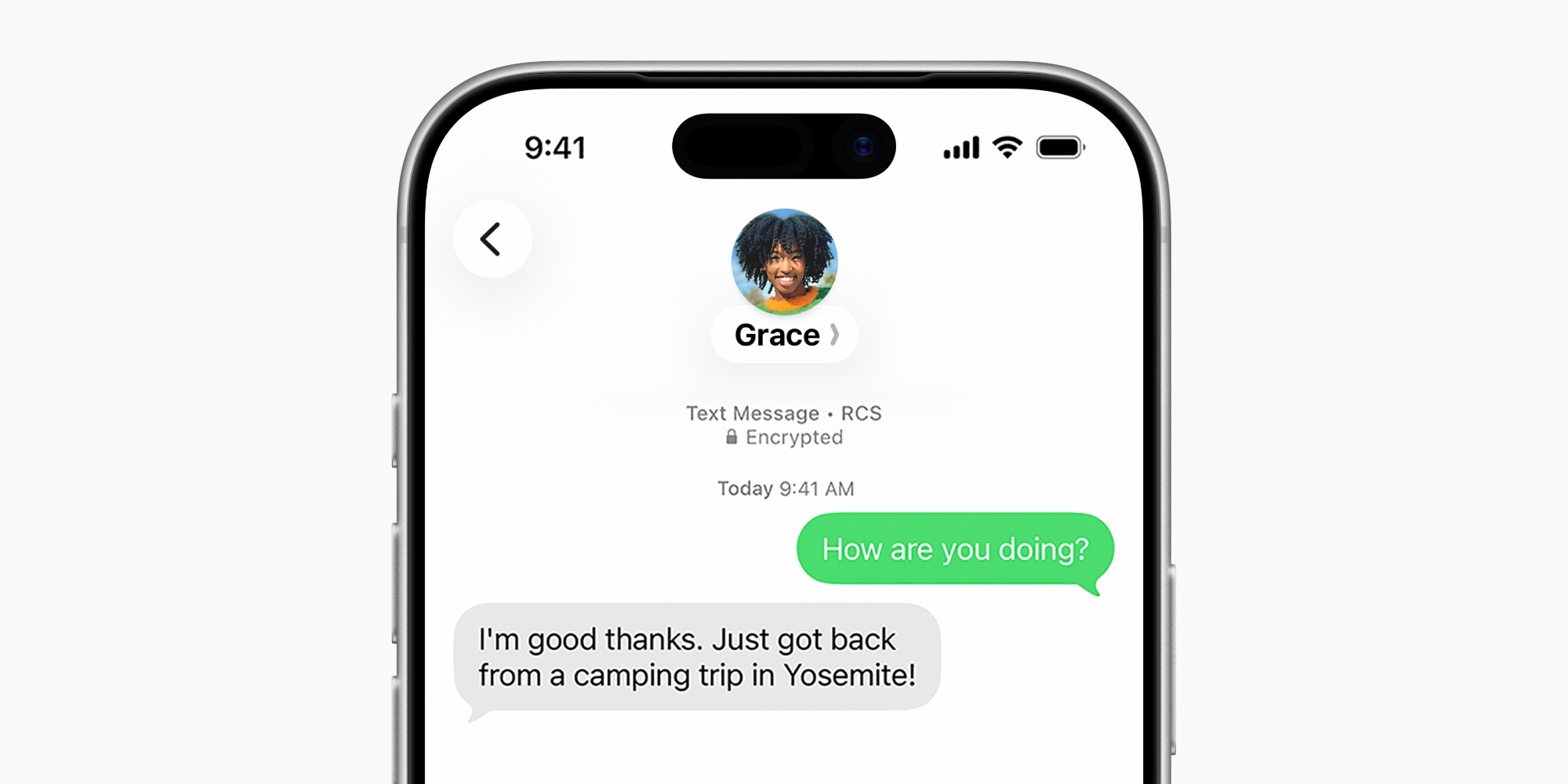
One of the many benefits of using iMessage is that you know your conversations are always end-to-end encrypted. This level of security has never extended to conversations about green bubbles. But in iOS 26.5, it is now possible.
iOS 26.5 upgraded the Messages app with support for RCS end-to-end encryption. You can find the supported operators via the link below.
RCS end-to-end encryption is currently available in beta and is enabled by default in iOS 26.5.
To confirm it’s enabled on your iPhone, go to Settings ⇾ Apps ⇾ Messages ⇾ RCS Messaging and make sure the “End-to-end encryption” button is enabled.
But enabling the toggle doesn’t guarantee that all your RCS conversations are encrypted. From the Apple website:
RCS messages can be end-to-end encrypted when all participants have carriers that support encryption… Even if your carrier supports encrypted RCS messages, the encryption of each RCS conversation depends on whether your contact’s carrier does as well. When end-to-end encrypted, RCS message conversations display “Encrypted” with a lock icon at the top.
So encryption depends not only on your phone and carrier, but also on those of the people you’re messaging. Fortunately, iOS 26.5 offers a way to see if a given conversation is encrypted.
How to check the encryption status of an RCS conversation in iOS 26.5
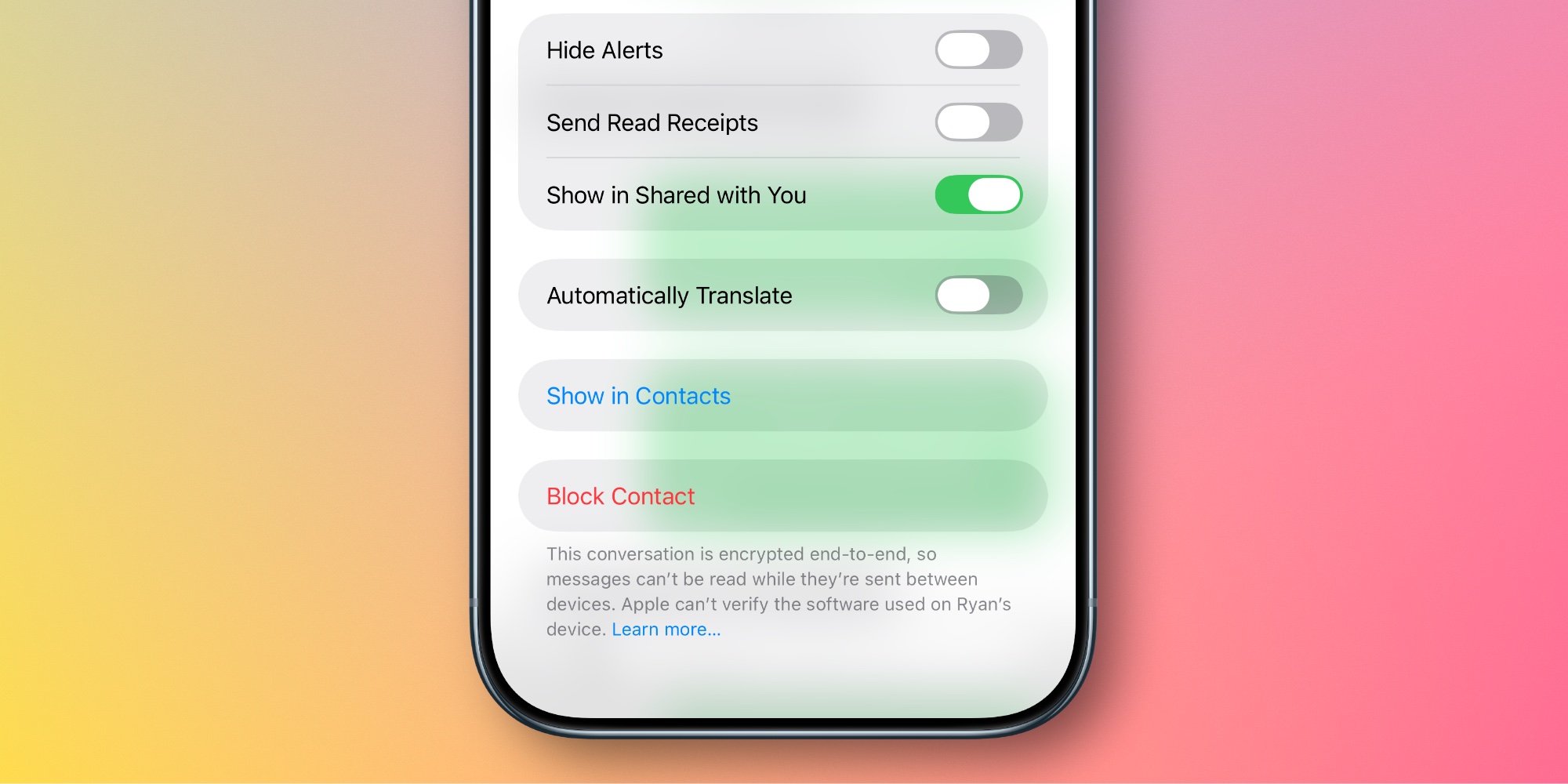
As Apple says, you can look for the lock icon at the top of a conversation to see if it’s encrypted. But for discussions dating back several months or even years, this is not the most practical method. Sometimes the lock appears more recently, but it is inconsistent.
However, there is another, much simpler way to check. Just follow these steps:
- Tap the name or profile picture at the top of the conversation to open the message detail view.
- Scroll to the bottom of the screen
- Check the message at the very bottom regarding the encryption status of the conversation
If it’s an encrypted RCS conversation, you’ll see a message saying: “This conversation is end-to-end encrypted, so messages cannot be read while they are sent between devices.”
If it is not encrypted, the message will say: “This conversation is not end-to-end encrypted.”
This method of checking encryption status is quicker and easier than looking for the lock icon at the top of a conversation.