HomePod Mini and HomePod Mini 2 buying guide: all the differences compared
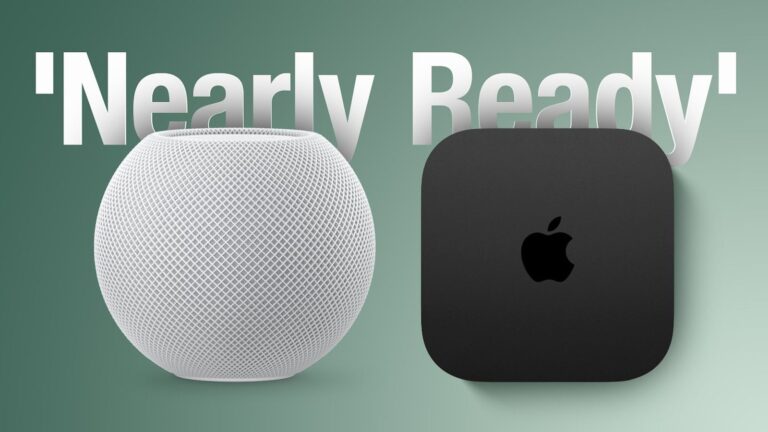
Apple announced the HomePod mini 2 yesterday, introducing the first major hardware update to the compact smart speaker in six years.
The new model retains the spherical design of the original, but adds an S10 chip, faster wireless connectivity, Sound Glow lighting, new Mac and home theater capabilities, and support for Siri AI in a future software update.
The HomePod mini 2 costs $149 in the US, which is $20 more than Apple’s latest price of $129 for its predecessor. While the original launched for $99 in 2020, Apple increased its price in June 2026. With many of the basic features retained, is the new model worth upgrading, and should you consider a discounted original instead?
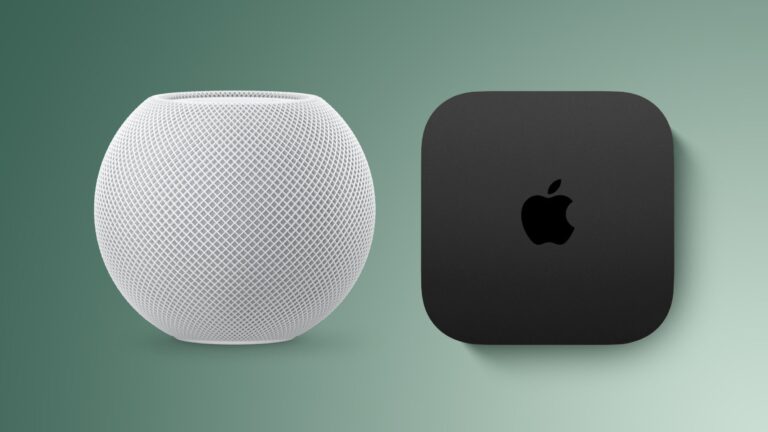
Both generations feature a full-range driver, dual passive radiators, and an acoustic waveguide for 360-degree sound. They also share temperature and humidity sensors, Thread networking, Ultra Wideband proximity features, AirPlay multiroom audio, stereo pairing, intercom, smart home control, and sound recognition. Their dimensions remain the same at 3.3 inches tall and 3.9 inches wide, and both include a 20W power adapter.
Here are the differences between the original HomePod mini and the HomePod mini 2:
| HomePod mini (2020) | HomePod mini 2 (2026) |
|---|---|
| Backlit touch surface with status and Siri lighting | Backlit touch surface with Sound Glow animations that react to music, album art and soundscapes |
| S5 chip (from 2019’s Apple Watch Series 5, made with TSMC’s 7nm N7 process, based on Apple’s A12 Bionic chip from the iPhone XS) | S10 chip (from the 2024 Apple Watch Series 10, made with TSMC’s 4nm N4 process, based on Apple’s A16 Bionic chip from the iPhone 14 Pro) |
| Computer audio | Enhanced Computer Audio |
| Quad-microphone design | Three-microphone design |
| Siri | AI support Siri |
| Wi-Fi 4 (802.11n) | Wi-Fi 6E (802.11ax) |
| Bluetooth 5.0 | Bluetooth6 |
| Playing audio on Mac via AirPlay | Can serve as the default speaker for Macs with Wi-Fi 6E or later, individually or as a stereo pair |
| Quad-speaker surround sound with Apple TV 4K (4th generation), including automatic calibration of timing and audio levels | |
| Weighs 0.76 pounds (345 grams) | Weighs 0.74 pounds (335 grams) |
| White, midnight, blue, yellow and orange; previously available in space gray | White, midnight, blue, pink and green |
| 89% fiber-based packaging | 100% fiber-based packaging |
| Introduced in October 2020 | Introduced in October 2026 |
| Discontinued (originally priced at $99, then increased to $129) | $149 |
Is it worth upgrading from HomePod Mini to HomePod Mini 2?
For most existing HomePod mini owners, there is no general reason to immediately replace a working original HomePod mini. The original retains the main features needed for voice commands, music playback, timers, intercom and smart home automation. Sound Glow and new finishes may appeal to enthusiasts, but they are very small reasons to replace speakers throughout an entire home.
For buyers primarily interested in sound quality, Apple’s specifications provide limited basis for judging the magnitude of the improvement. The basic driver layout remains the same and the original computer audio was already used to adjust real-time playback. Apple has not quantified the acoustic gains of the S10 chip.
The clearest upgrade case is to use the HomePod mini 2 as the default Mac speaker. If your Mac supports Wi-Fi 6E or later and you want HomePod speakers for gaming, calls, and everyday computer audio, the new model offers functionality that the original AirPlay connection doesn’t provide.
The four-speaker surround sound system is another notable reason to choose the new generation. It requires the fourth-generation Apple TV 4K and matching front and rear speaker pairs running the latest software. You can use four HomePod mini 2 speakers or combine a pair with a pair of second-generation full-size HomePods. The original HomePod minis are excluded and the required Apple TV 4K will launch on November 13.
Siri AI is perhaps the most consequential improvement, delivering more natural conversations, broader general knowledge, improved music discovery, and the ability to act based on personal context in supported apps. However, it will not be available at launch and Apple has not yet announced a release date for this feature.
Apple’s requirements specify that the home owner in the Home app must have an Apple Intelligence-enabled iPhone or iPad with Siri AI enabled. Personal context requests require the individual user’s compatible paired device, although other members of the household can use the chat and general knowledge features once Siri AI is enabled. Initial availability is planned in English in the United States, Australia, Canada, India, New Zealand, Singapore, South Africa, and the United Kingdom.
Should you buy a HomePod Mini or HomePod Mini 2?
The HomePod mini 2 should be the default choice for most new buyers when the price difference is small. If the remaining original stock costs $129, paying an extra $20 gets the new Mac and surround sound capabilities, faster connectivity, Sound Glow, and eligibility for the upcoming Siri AI update.
A discounted original HomePod mini is still worth considering for simple music playback or adding smart home control to another room. Its value is strongest when you will use shared features and have little interest in new features.
Purchasing another original is also wise if you already own one and want to create a stereo pair. Apple requires matching models for stereo pairing, so an original HomePod mini and a HomePod mini 2 cannot form a stereo pair.
Pre-orders for the HomePod mini 2 are now open and available from October 30.