
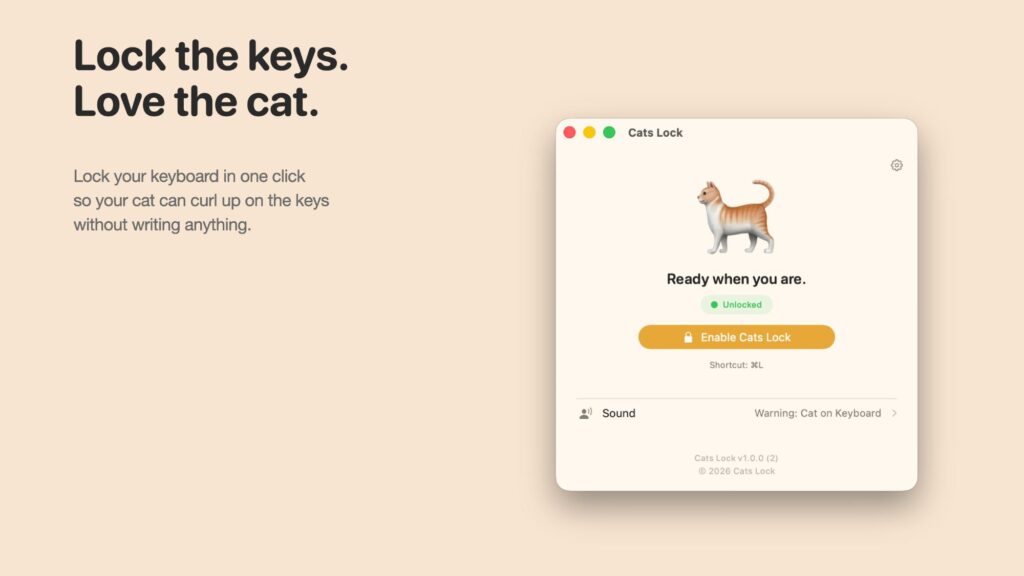
If you own a Mac and a cat, you’ve probably encountered a situation where your cat is sitting on your computer’s keyboard. Whether it’s because Macs are hot or because they want to distract you from the screen that’s absorbing all your attention, laptops tend to attract cats.
A new Mac app called Cats Lock adds cat protection that stops your cat from causing damage to anything you’re working on when it enters your keyboard, and it can even be set to chase the cat away.
You can click to activate Cats Lock in the menu bar or use a quick keyboard shortcut, which prevents cats from being able to activate the keys. Cats can be particularly good at finding weird keyboard shortcuts you didn’t know existed and making changes that are annoying to undo, so Cats Lock is useful for preventing this. It also has an option to mute, so there are no more incessant beeps when your cat walks into your keyboard and holds down a button.
Putting your Mac into sleep mode is an alternative, but you can also set Cats Lock to alert you or make a loud noise when your cat touches the keyboard. Some of the built-in sounds, like a dog barking, a vacuum cleaner, or a cat hissing, can act as a deterrent even when you’re not there. You can also upload your own sounds.
Cats Lock stays on until your Mac goes to sleep, after which it turns off so you aren’t locked out of your Mac because of the app.
Cats Lock can be downloaded from the Mac App Store for $2.99.
Popular stories
iOS 26.5 Features: Everything New in iOS 26.5
Apple released iOS 26.5 after a few months of beta testing, and while it doesn’t have the Siri features we were hoping for since those carry over to iOS 27, there are a handful of useful changes worth knowing about. Subscribe to the Woozad YouTube channel for more videos. End-to-end encryption for RCS Support for end-to-end encryption (E2EE) for RCS messages between iPhone and…
11 reasons to wait for the iPhone 18 Pro
We’re just four months away from the launch of Apple’s next-generation premium smartphone lineup, and while we don’t expect a massive change in terms of features, there are still several improvements expected to come to the iPhone 18 Pro and iPhone 18 Pro Max. One thing to note is that Apple is reportedly planning a major change in its iPhone release cycle this year, adopting a…
Six popular iPhone apps now available on CarPlay
Apple’s CarPlay system for accessing iPhone apps on a vehicle’s dashboard screen has received six popular apps in recent weeks: ChatGPT, Perplexity, Grok, Google Meet, WhatsApp and independent artist streaming platform Audiomack. Make sure you have the latest version of each app and they will automatically appear on CarPlay. ChatGPT From iOS 26.4, CarPlay supports voice function…
