BBEdit 16 is now available with in-image text search, deeper shortcut integration, notebook filtering, and more.
Bare Bones’ legendary text and code editor, BBEdit, was updated for macOS today with a massive list of new features, including image text search, expanded shortcut automation, AI-powered spreadsheet streaming, and new customization options. Here are the details.
BBEdit 16 is, unsurprisingly, a big project
As long-time BBEdit users know, Bare Bones doesn’t update its app version number willy-nilly. When BBEdit 15 arrived in January 2024, it brought a long list of major additions, including integrated ChatGPT spreadsheets, the Minimap palette for getting a reduced preview of an entire document, expandable cheat sheets, text merging, and a reworked project system.
Today, BBEdit 16 has been released with an even longer list of new features and improvements, chief among them being text-in-image search with support for grep patterns.
This means that users can not only search for text in screenshots, photos, and other image files directly from BBEdit’s existing multi-file search interface, but also use more advanced pattern matching to find variations of a term, specific text structures, or repeated formatting patterns that a simple keyword search might miss.
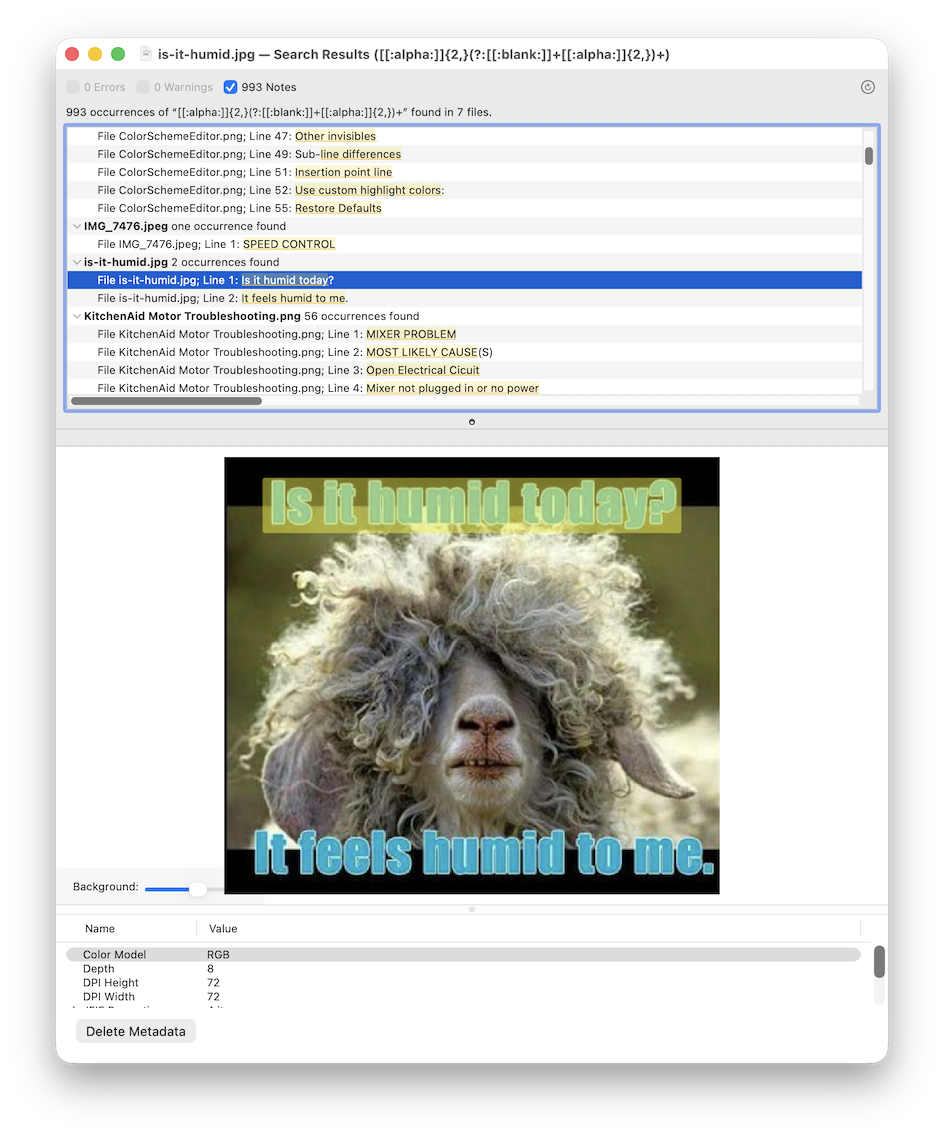
As Rich Siegel, founder and CEO of Bare Bones, told 9to5Mac, “this is very much in the spirit of BBEdit, which is about finding text wherever it is. And (images are) just a new place to look.”
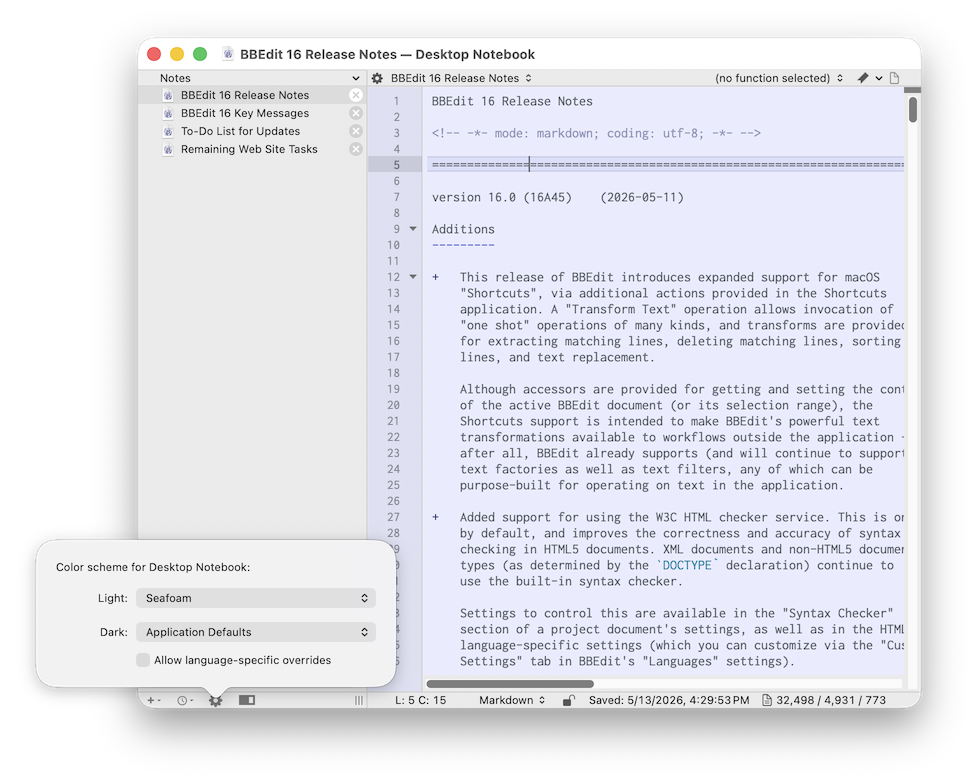
BBEdit 16 also improves the Notebooks feature, offering filtering with built-in indexing for faster searching, a welcome addition for heavy users who rely on BBEdit for large volumes of text and projects. Additionally, notebooks and projects can use different color combinations to help users differentiate workspaces at a glance.
And speaking of faster searching, BBEdit 16 includes a ton of under-the-hood performance and code improvements that make it lighter, requiring less processing power and, ultimately, energy.
As Siegel told 9to5Mac:
“Is this going to save the world? No, it’s not. It’s a small thing. But I kind of want to lead by example here and rally everyone around the idea of doing less better.”
This focus on efficiency also translates into real performance gains. SFTP file transfers, for example, are now one to two orders of magnitude faster than before. Emoji handling has also received attention in BBEdit 16, with internal changes that make the editor work more easily with complex emoji composed of multiple Unicode components, as well as updates to the Character Inspector to display the Unicode names of characters in a selection.
BBEdit 16 also expands support for shortcuts from version 15, with much deeper integration with system application intents. Now users can access BBEdit’s text transformations directly via shortcuts, including sorting text operations, handling duplicate lines, finding or deleting lines that match a pattern, and performing Replace All with grep support.
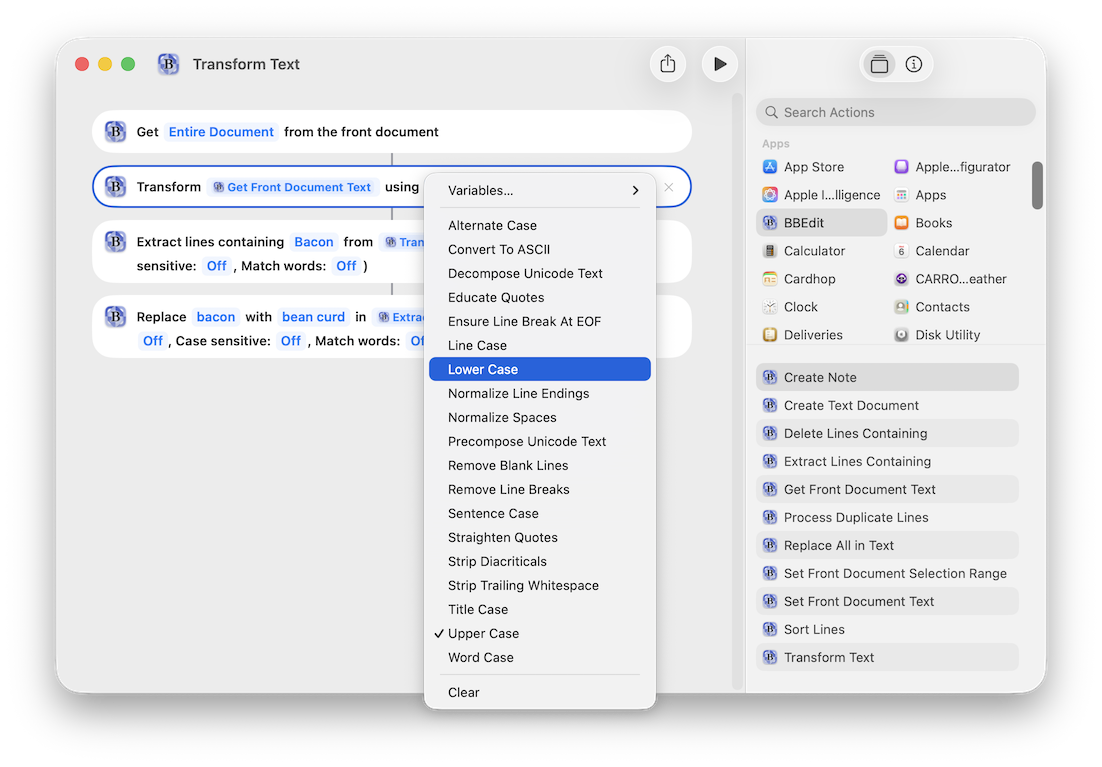
Some of these actions don’t even require BBEdit to be visibly executed. Additionally, Siegel tells 9to5Mac that this is an ongoing effort that will expand as users start building workflows around it.
For BBEdit users who rely on the LLM integration in Worksheets, today’s update also brings a more modern chat experience. BBEdit 16 adds support for streaming APIs, so responses now appear as soon as data returns from the server, rather than only after the full response is complete.
The update also improves model selection. While previous versions allowed users to choose from a predefined list or manually enter a model name, BBEdit 16 can now request a current list of models available from supported vendors through their APIs, allowing users to choose directly from this list instead of manually tracking model names.
Finally, BBEdit 16 also brings updates to a few long-standing parts of the app. Its built-in HTML syntax checker, for example, now uses the W3C API for validation. There is also an option to run the checker locally for users who do not want to send HTML to an external service.
Site tools have also been updated to support separate test and production deployment locations, so users no longer need to change server settings when moving between test and production sites. For users coming from VI, BBEdit 16 adds VI keyboard emulation.
BBEdit 16 is available today, with pricing unchanged from previous versions: $60 for new users, $30 for upgrades from BBEdit 15, and $40 for upgrades from older versions. BBEdit 16 is also a free upgrade for BBEdit 15 customers who purchased a license on or after November 1, 2025.
As usual, the app’s free mode remains available, and the new version resets the 30-day fully functional trial period.
To view the full release notes for BBEdit 16, follow this link.
To discover on Amazon