
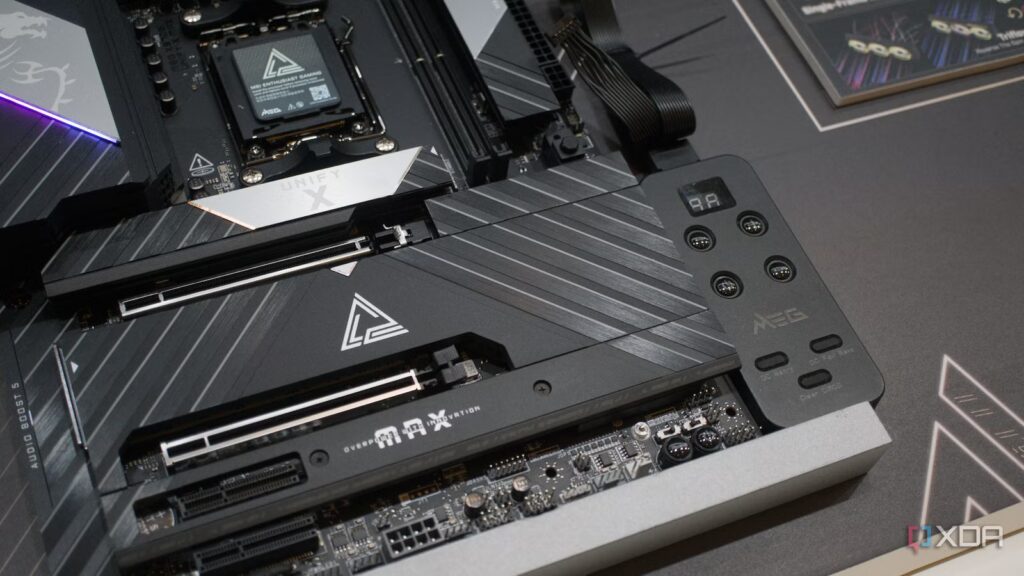
I understand why many people don’t hesitate to splurge on high-end motherboards. When you invest in a high-end CPU and GPU, it almost feels like your motherboard needs to match that power as well. A cheaper board just wouldn’t look good next to expensive parts, and Reddit users would be quick to point that out in the comments when you try to show off your build. After all, your motherboard is the one component that literally connects everything else, so it’s easy to internalize that pressure and spend $100-200 more just to avoid feeling cheap.
In reality, that extra money doesn’t translate into anything you actually notice once your PC is up and running. As long as your card can properly handle your CPU, keep your RAM stable at XMP/EXPO speeds, and provide the I/O you need, nothing else really matters at the moment. Sure, you might want to add another Gen 5 SSD down the line or a 5GbE port for faster networking, but at that point you’re just trying to future-proof your build instead of paying for something you’ll actually use today.
Future-proofing my PC is the one mistake I’ll never make
Nothing can protect your PC from performance jumps and unpredictable market forces.
Mid-range boards won’t hold you back
Your PC won’t run faster just because you spent more on a premium card
I don’t want to give you the impression that I’m suggesting you buy everything on your motherboard cheaply. There is always a baseline that you shouldn’t ignore, especially if you pair it with a high-end processor. For example, I would never recommend a B840 motherboard if you are considering getting something like the 9800X3D for your build. You still want a card with solid VRMs that can support boost clocks without throttling, stable XMP/EXPO support, and a BIOS that doesn’t make setup a chore.
But once you’re in the mid-range tier, most cards are already designed to meet the demands of high-end processors without breaking a sweat. You don’t leave performance behind just because you opted for a $200 card like the MSI MAG B850 TOMAHAWK MAX Wi-Fi. What you’re paying for beyond that point is mostly extra headroom and feature quality that most of you really don’t need. As long as your CPU scales as expected, having more power phases or beefy heatsinks won’t improve your performance.
For most gamers, high-end cards mean peace of mind
Features seem useful until you realize you don’t actually need them right now
When you compare technical sheets, it is easy to be tempted by purchasing a more “premium” card. Additional M.2 slots with PCIe 5.0 support, 5GbE/10GbE LAN ports, USB4 headers, and even quality-of-life additions like POST code displays and tool-free latches make their price tags very easy to justify. But you need to consider how you plan to configure your system before deciding if it’s worth it. If you spend more just because you think you’ll need a certain feature two or three years down the road, you’re just betting on the future.
There’s nothing wrong with trying to future-proof your release, but you also shouldn’t overlook how quickly platforms evolve in the PC space. By the time you need faster storage for your second drive or multi-Gig Ethernet, it’s likely you’ll need a new platform for a CPU upgrade anyway. In the meantime, the extra features you paid for up front sit unused while your CPU and GPU determine your performance. Once you’ve covered the basics, everything else is just paying for a “just in case” scenario.
High-end boards are worth it for some people
But these use cases don’t apply to the average user who is just building a fast PC.

There’s a reason PC enthusiasts are quick to point out the benefits of high-end cards on Reddit or even in the comments section of our articles. If you’re building a PC with multiple Gen 5 SSDs, for example, those extra PCIe 5.0 lanes on the X870 cards suddenly start to matter. Likewise, if your ISP actually offers multi-GB speeds, having a 5GbE or 10GbE port isn’t just a matter of bragging rights. More importantly, if you want to overclock your CPU or RAM, higher-end cards offer better power to ensure stability. And finally, if you’re just a DIYer, the quality of life additions I mentioned earlier can make troubleshooting and upgrading less painful.
The problem with suggesting that everyone who gets the 9800X3D should also get an X870 card is that it treats these edge cases as the default card. Most people don’t pack their builds with multiple Gen 5 drives or rely on USB4 ports and multi-gig networking. Even overclocking isn’t as popular as it was a decade ago, with many gamers now opting to put their CPUs under stress to maintain boosted clocks for longer. Of course, premium cards make sense if you plan to keep them for several years, but AM5 is currently four years old, so you’re more likely to move to a new platform before these additional features are important.
Your use case matters more than any datasheet
There’s no point in looking for better motherboards if they don’t actually change your PC’s performance in the end. It’s nice to have a card that supports Gen 5 speeds on the second M.2 slot, but the actual difference between Gen 4 and Gen 5 isn’t even noticeable in the first place. As long as a mid-range card addresses most issues well, like stable power supply, XMP/EXPO support, and decent I/O, the rest of the specs are just a plus. You’re better off spending that money on parts that can directly improve performance, like a faster RAM kit, CPU, or even a high-end GPU.


7.5/10
- Form factor
-
ATX
- Chipset
-
AMD B850
- Socket
-
AM5
- CPU support
-
AMD Ryzen 7000, 8000, 9000
Looking for a mid-range AMD AM5 motherboard for the latest processors? Look no further than the Asus ROG Strix B850-F Gaming WiFi. This thing has everything you need from a modern motherboard, including tasteful RGB lighting, excellent VRM cooling, plenty of connectivity options, and space for countless M.2 SSDs.
