
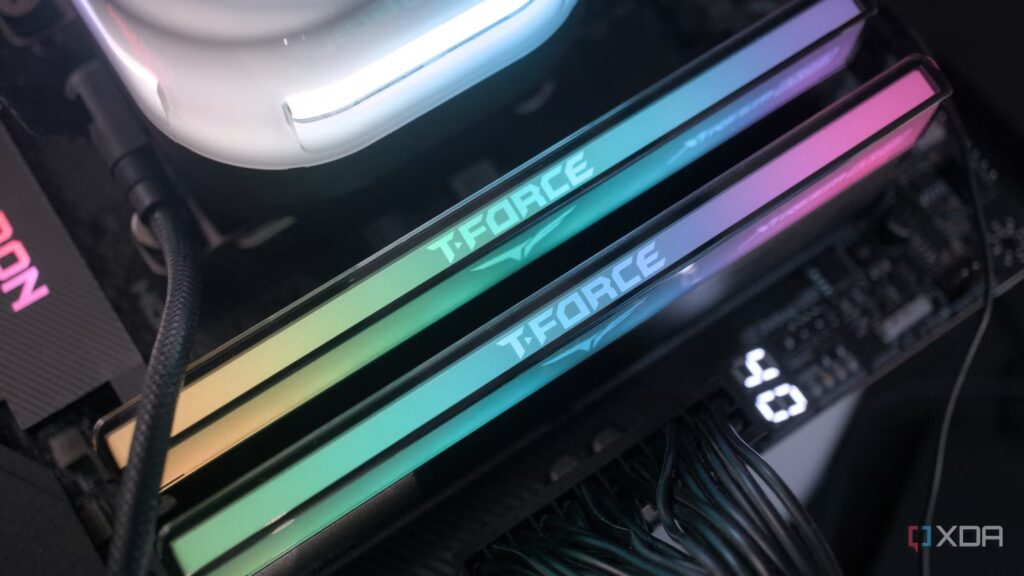
When I first upgraded to the 9800X3D, I had to settle for a 32GB DDR5-6400 CL32 kit because RAM prices were skyrocketing at the time. But when prices dropped slightly towards the end of March, triggered by Google’s TurboQuant announcement, I decided to get another 32GB kit, assuming it was just a temporary drop before moving back up. While 32GB is still ideal for gaming, I like having some extra headroom when doing multiple things side-by-side on my multi-monitor setup.
I expected this upgrade to go smoothly since DDR5-6400 isn’t that far from what AMD recommends for stability. In my head I was just adding the same thing, without pushing the limits of the memory controller. But soon after installation, I realized I had no choice but to downclock to DDR5-6000 just to get it working properly again. Although it seemed like a step backwards at first, almost like I was sacrificing performance for capacity, the trade-off wasn’t as noticeable as I expected.
Sure, the speed of your RAM matters, but how much?
Bigger numbers go faster, right? Well, when it comes to RAM specs, it’s not that simple.
Going down one level wasn’t enough
Games aren’t as sensitive to RAM speed as I thought

Honestly, I expected to see at least a 3-5% drop in average FPS or at a faster rate, especially in competitive titles where I know the CPU is limited to 1440p. But even after spending a lot of time Valorant And Battlefield 6nothing really stood out. My GPU usage still behaved the same as when my 32GB kit was running at 6400MT/s. If there was a difference, I probably wouldn’t be able to tell unless I compared the two instances side by side using MSI Afterburner.
This says a lot about the insignificance of this drop. The difference isn’t as big as going from 6000 MT/s to 4800 MT/s, where you’re actually leaving noticeable performance on the table. Once you’re already in the ideal range, the gains start to flatten out. Of course, one could argue that gamers get better frame rates with extreme kits like DDR5-8000+, but at this point UCLK runs at a 1:2 ratio with MCLK, which adds latency. And because of that, you don’t exactly get all the benefits of increased bandwidth.
X3D processors are less sensitive to RAM speed
3D V-cache allows my 9800X3D to rely less on system memory
The main reason I didn’t feel the drop from 6400 MT/s to 6000 MT/s is probably the way AMD’s X3D chips are designed. The additional L3 cache stacked on top of the CPU cores reduces the need to access slower system RAM as often. In CPU-bound games, where RAM speed and latency are typically important, much of the data the CPU needs stays in L3 cache instead of being repeatedly fetched from your RAM. This reduces latency and helps maintain consistent frame durations, so a small drop in bandwidth won’t make a difference.
If I had a non-X3D processor like the 9700X or 9950X, it probably would have been a different story. These processors rely much more on system memory for fast data access. RAM speed and latency are therefore more important in CPU-bound scenarios, like gaming at very high frame rates. The difference would still be small because 6,400 MT/s to 6,000 MT/s isn’t much, but it would be easier to spot in side-by-side comparisons, especially in games that scale well for memory performance. So if you have an X3D processor, you’re probably looking at diminishing returns with high-speed kits.
Faster RAM can still have a noticeable impact
But only in good conditions, and when the gap is bigger

I’m not saying you should all settle for DDR5-6000 kits, because that’s what AMD recommends for its Ryzen 9000 and 7000 series processors. Faster memory makes a difference in CPU-limited scenarios. If you own a 1440p/360Hz monitor like me and are using a high-end GPU like the RTX 4090 or 5090, you’re much more likely to find yourself in situations where your CPU is the bottleneck. And for those chasing every last frame in competitive gaming, taking RAM speed down a notch or two can mean the difference between maximizing your refresh rate and not hitting it.
That said, the gap between RAM speeds needs to be large enough and the workload sensitive enough for this to be a deciding factor. If you have a DDR5-7200 kit, but have to settle for 6000 MT/s just to keep everything stable at a 1:1 UCLK:MCLK ratio, then yes, this is something you’ll notice almost immediately. But if you usually play AAA titles that are GPU-bound anyway, even this difference becomes almost impossible to notice in actual gaming. In my case, downclocking from 6400 MT/s to 6000 MT/s just isn’t in the same category, especially with an X3D processor.
Stability matters more than a decrease in RAM speed
To be honest, I don’t mind running my RAM at a slightly slower speed, even if it means sacrificing a bit of performance. Ultimately, stability comes first, so if that 3-5% FPS trade-off is what it takes to avoid random freezes or boot failures, I’ll happily accept it. Luckily, I didn’t even have to make that trade-off when I went from 6400 MT/s to 6000 MT/s. My 9800X3D had enough cache to make up for any difference, so my PC felt exactly the same. So as long as you don’t go down a much higher frequency, there’s nothing to worry about in terms of actual performance. Just stop looking at the benchmarks for your peace of mind.
You shouldn’t always max out your RAM speed, because timings matter too
Both in terms of performance and stability, timings can often be as important as speed.
