
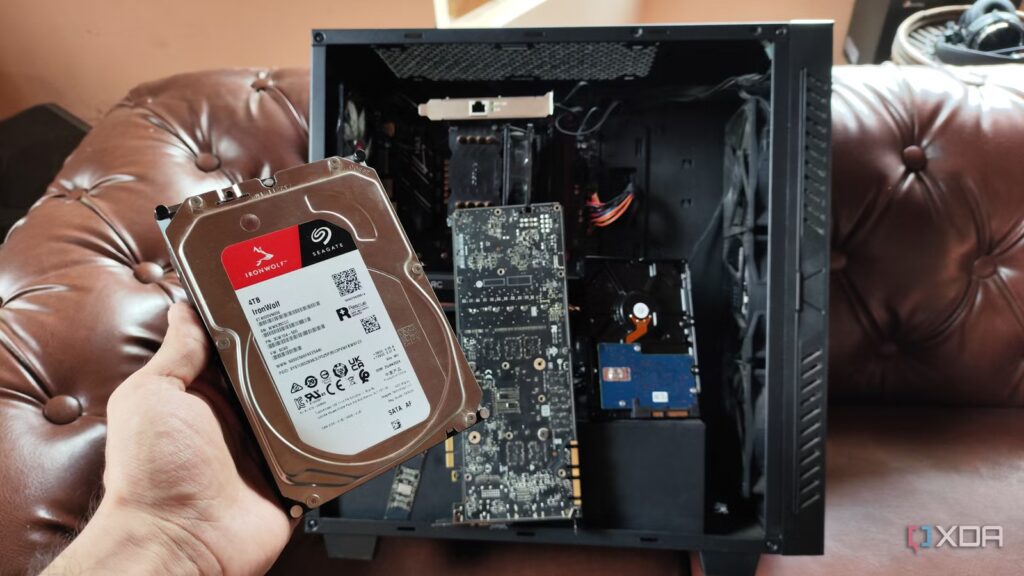
If you’re considering moving away from the cloud by building a network-attached storage platform, you have many options to choose from. Synology was once at the top of the NAS ecosystem, and while the company has toned down its anti-consumer tactics a bit, there are plenty of other fish in the sea. QNAP is reliable enough for enthusiasts, and its proprietary operating system is simple enough for beginners.
Hell, thanks to XPEnology, you can even try running Synology’s DSM on unsupported hardware, including DIY NAS platforms. Me? I’m counting on OpenMediaVault to resurrect old machines as reliable NAS units.
I Stopped Recommending Synology to My Friends, and Here’s What I Tell Them to Use Instead
There are many other options for NAS enthusiasts besides Synology
It also doesn’t force me to use proprietary hardware

I’m going to be extremely honest here: I rely on TrueNAS above all else because it’s robust enough for the most hardcore DIY experiments. But that’s only for my primary NAS and my secondary offsite backup server. TrueNAS needs an x86 CPU and the DSM emulator/bootloader, XPEnology, has the same requirement. And I don’t even need to talk about the restrictions on using the DSM on non-proprietary platforms.
OpenMediaVault, on the other hand, is lightweight enough to run on most devices in my DIY lab, and I don’t need to stick with pre-built Synology units with inflated prices that don’t match their lackluster specs. It’s not even limited to the x86 architecture, so it even works on Raspberry Pi boards. Since it’s basically a few tools built on Debian, it’s even possible to run this FOSS platform on RAM-deficient systems. With RAM prices still in the red zone, OMV is my go-to distro whenever I need to set up a budget-friendly ARM-based NAS. Hell, I even used a specialized edition of OpenMediaVault on my RISC-V motherboard, and even though it didn’t support plugins, it worked extremely well for typical file backup and sharing tasks.
Its web interface is quite simple
And it has a decent collection of NAS-centric features
DSM (and, by extension, XPEnology) may have several beginner-friendly tools, but OpenMediaVault isn’t far behind either. In fact, it’s significantly easier to use than most distributions in the DIY NAS ecosystem, because I don’t have to deal with pool management options hidden in a maze of menus. Creating new pools and deploying SMB shares to them is pretty simple, even for complete beginners, and OMV comes with most of the essential tools I’d expect from a NAS.
By default, OpenMediaVault supports a number of file systems, including Btrfs and XFS, and I can create RAID pools (even JBOD arrays) involving multiple hard drives. Likewise, it incorporates SMB and NFS functionality, in addition to SMART monitoring provisions and basic rsync tasks for remote backups.
So far, OpenMediaVault may seem a bit simple, especially if you compare it to the containerization, backup, and security tools in Synology distributions. Well, it certainly doesn’t have the same features as its closed-source and FOSS rivals. But a quick look at the plugins is enough to change your mind…
OpenMediaVault is the most customizable distribution on the market
Rather than shipping with a set of tools that end up hogging additional system resources, OMV comes with the minimum set of packages I’d expect from a NAS, and I can arm it with plugins when I want to run specific tools. Take for example the openmediavault-compose add-on, which brings native support for Docker Compose files to OMV. It single-handedly brings containerization functionality to OpenMediaVault, allowing an inexpensive ARM-based NAS to serve as a self-hosted desktop.
Of course, I don’t necessarily need Docker functionality on a makeshift NAS that I use for my experiments, especially with all the additional systems in my home lab. But the situation is radically different when I want to give a family member an all-in-one storage server that I cobbled together from old parts.
And this is just one of many OMV plugins that I love. There’s one to unlock Podman as the container runtime, while openmediavault-k8s turns a simple NAS into a full-fledged Kubernetes node. Although I don’t use it on weaker OMV testbeds, the openmediavault-kvm plugin is ideal for deploying virtual machines that can run on KVM. Likewise, openmediavault-zfs brings the ultra-powerful file system to OMV, and openmediavault-tgt allows me to create iSCSI-powered block shares on my OpenMediaVault server.
OpenMediaVault is a criminally underrated NAS platform

Unlike Synology’s DSM, which is (or should I say, was) well known for its beginner-friendly nature, OMV is still somewhat obscure, as I haven’t met many DIYers who love this FOSS distribution. Its web user interface is quite simple and I can equip my storage server with the right set of tools for my DIY needs. The best part? I don’t need to lock myself behind proprietary hardware or look for complex workarounds just to get a DSM-like layout for my data archiving, backup, and file sharing needs.
