
We’ve reached a point where every utility, from a simple calculator to a complex project manager, requires a monthly plan to unlock its full potential. As a technology writer, I’m constantly testing new tools, but I’ve reached a point where I’m tired of praising my productivity.
That’s why I’ve spent the last few months curating a stack of professional-grade tools that prioritize ownership over access. From my main writing environment and task manager to my financial and security center, here are the best productivity investments I’ve made over the long term.
6 Free, Quality-of-Life Open Source Apps I Install on Every Windows and Mac PC
Rating up
Elegant, cross-platform notes
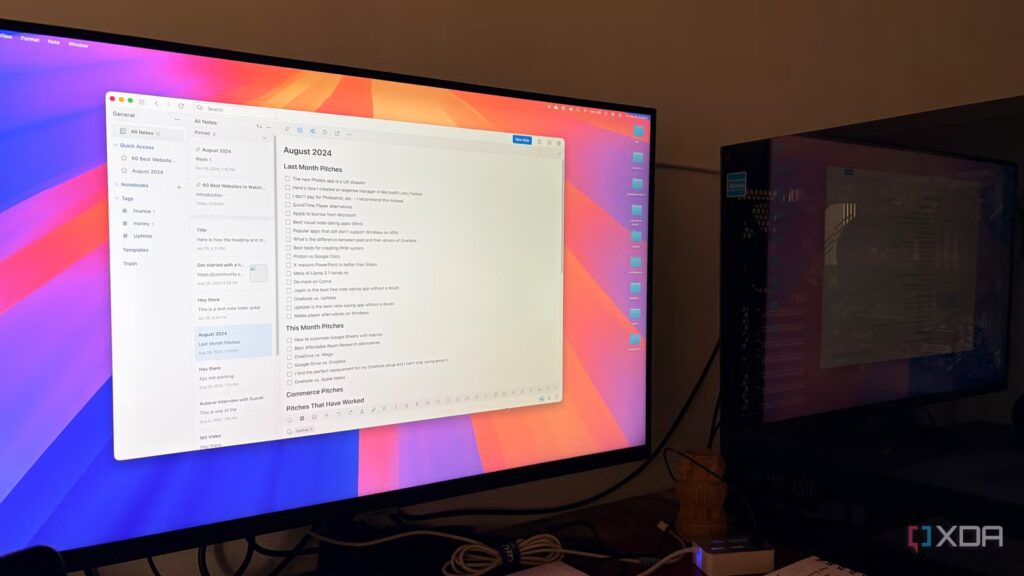
If there’s one app that takes care of my “Evernote anxiety,” it’s UpNote. I spent years bouncing between note-taking tools, but UpNote is where I finally stopped looking.
It achieves that rare balance between a clean, minimalist interface and a feature set that’s robust enough for a power user like me who deals with constant technical documentation.
What makes it the centerpiece of my workflow is its rock-solid cross-platform support. Whether I’m on my MacBook Pro, on my Windows desktop, or checking a quick note on my Samsung Galaxy S24 Ultra, syncing is almost instantaneous.
It supports everything I need: nested notebooks, bidirectional links, focus mode for distraction-free writing, and even code blocks with syntax highlighting.
For a one-time payment, I get access to all premium features on every device I own. This is the perfect example of how premium software doesn’t mean a premium monthly bill.
Wallet by Budgetbackers
Complete manual financial tracking

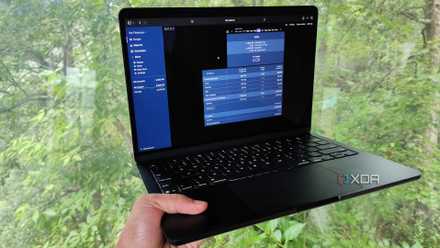
Managing finances can easily become a mess of spreadsheets and banking apps, but Wallet by Budgetbackers has been my go-to solution for keeping everything in sync.
It’s quite flexible and doesn’t force you to adopt a specific philosophy, but rather gives you the tools to track every dollar exactly how you want.
The feature set is deep. I use it to manage multiple accounts, track my spending categories, and set realistic monthly budgets. It handles multiple currencies perfectly, which is essential when traveling or doing business abroad – and the reporting tools give me a clear view of where my money is really going.
Wallet’s lifetime plan includes all of these features plus cloud syncing, which keeps my data up to date across my iPhone, Android devices, and web dashboard.
Pass
Secure, offline password management

Unlike 1Password, LastPass or Dashlane, Enpass doesn’t store your passwords and keys in its own digital vault. It gives you the flexibility to sync data with the cloud provider of your choice.
You can even store everything offline for added security. Enpass fits seamlessly into my workflow on my MacBook Pro, Windows desktop, and Samsung/Pixel devices.
You can use templates for quick entries, add notes, attachments, generate strong passwords and even take advantage of security auditing to report weak, reused or compromised passwords.
Overall, Enpass gives me peace of mind that my most sensitive data is kept safe and secure in a vault that I own, not one that I simply rent.
I self-host these 5 apps to manage my finances
These careful services keep my wallet nice and happy
OmniFocus
Professional-quality task management

OmniFocus is a great tool for people who need to keep track of hundreds of moving parts in different areas of life. Unlike Microsoft To-Do or Google Tasks, this isn’t just a list of basic tasks. This is an external mastermind designed for anyone following a strict GTD (Getting Things Done) workflow.
I rely heavily on tags to organize my work by energy level or location. OmniFocus 4 introduced a universal perpetual license, meaning a single one-time payment unlocks the app across my entire Apple ecosystem: Mac, iPhone, iPad, and Watch.
I can even see my calendar events next to my tasks, which is essential for planning a busy week of local LLM tests or technical guide writing.
Scribe
Extensive writing and research
When I moved from writing short blog posts to long-form tech guides and more in-depth research projects, I realized that a standard word processor wasn’t going to cut it. That’s when I moved my serious work to Scrivener.
It contains my research, character sketches, reference PDFs, and current manuscript in a single project window.
Scrivener’s Binder feature is essential to my workflow. This allows me to break down a large article or book chapter into tiny, manageable scenes. The list of features continues with cork board, split view, composition mode, etc.
Although they sell separate licenses for macOS, Windows, and iOS, they offer a 30-day free trial and a multi-tier discount if you need it for your MacBook Pro and Windows desktop.
The lifetime license stack
While each tool continues to generate recurring revenue, apps like UpNote, OmniFocus, and Scrivener prove that premium, feature-rich tools can still thrive under a “buy once, own forever” model.
By building a workflow around reliable tools like these, I traded a growing list of monthly bills for a stack of apps that actually belong to me. If you’re tired of subscriptions, I highly recommend auditing your toolkit to get your budget back.
