
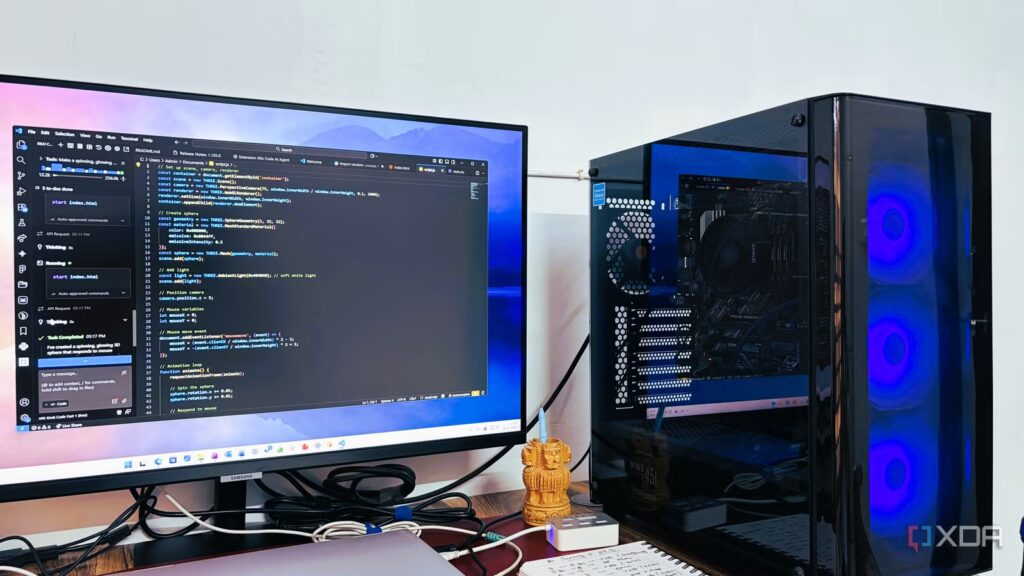
VS Code is probably the most widely used code editor, though I’m not sure it’s even fair to call it just a code editor. It has become the center of gravity for many developers, and its extension model is why so many workflows end up living inside it rather than around it. Extensions can plug directly into the UI and use the same APIs that VS Code itself uses, making the editor feel less like a fixed product and more like a platform.
The current market, however, is divided into two camps. One side wants to have the full editor experience, even if it means rebuilding the surface from scratch. Cursor, Windsurf, and Antigravity are some of the clearest examples. These tools don’t really escape VS Code’s orbit; they try to control it. Then there are tools like Codex, GitHub Copilot, and Claude that extend VS Code, and I think this approach is the smartest.
I switched from Claude Code to Codex for a week, and the compromises surprised me
One week, two tools, lots of reviews.
Vendors trying to replace VS Code struggle with gravity
VS Code is already too big
A dedicated AI editor seems attractive because it can shape the entire workflow around agents, chat, and automation. Tools like Cursor and Windsurf build on this by designing everything around AI from the start. The problem is not the idea, but the cost of change. VS Code is already at the center of most development workflows. You’ve configured your extensions, keyboard shortcuts, themes, debugging configuration, and project-specific tools. Switching to a new editor means rebuilding all of this before even getting to the AI part.
VS Code is also superior to its forks because it has been battle-tested and includes important features for individuals and businesses. Everything you use in VS Code is free. It’s an open source tool, so there’s a certain level of transparency here. Since it’s owned by Microsoft, the telemetry data is still shared with the company, so it’s not completely transparent.
Then there are other features, like the extensions marketplace. Since it’s VS Code’s own marketplace, you have access to everything. On tools like Cursor and Windsurf, some extensions are unavailable or don’t work as they should. I’ve also personally seen better performance and support for things like Jupyter Notebooks on VS Code than on Cursor or any other fork. For enterprise users, something like Live Share is more reliable and useful for team collaboration than the experimental features of Cursor or other forks.
While a forked editor gives full control over the experience, it also needs to keep up with the VS Code ecosystem, maintain compatibility with extensions, and convince you to move your daily work to a new environment. Most developers aren’t looking for a new job. They want better tools within the setup they already trust. This makes replacement strategies more difficult to scale beyond early adopters and experiments. The more AI becomes a standard feature, the less reason there is to switch vendors just to get it.
Codex, Claude Code, and similar expansions are on the right track
The smartest tools are those that build on top of VS Code rather than trying to replace it. Extensions like GitHub Copilot, OpenAI Codex, and Claude Code connect to the same APIs as any other extension, but they change what the editor can do. You still work in the same interface, but with more features. Suggestions appear as you type, discussion boards can reference your code base, and commands can modify a project’s files.
I was able to achieve almost everything I could do with Cursor using the Claude Code extension on VS Code. I think OpenAI’s Codex extension is also quite capable. The main limitation is that you cannot switch between templates within a single interface. For example, Cursor allows you to choose which template you want to use, but this is not possible with Codex or Claude. You can work around this problem with a tool like Continue. This is an open-source tool that lets you switch between AI models, so you can choose something like Gemini 3.1, GPT-5.5, or whatever suits your needs.
These tools can read your project, understand file relationships, and make coordinated changes. This means you can request a refactoring, generate a feature, or explore a code path without having to put it all together manually. And because it happens in VS Code, it fits into the rest of your workflow.

7 reasons why VS Code is the best text editor, even if you’re not a developer
The Secret Text Editor Everyone Should Use
VS Code is adapted by AI change
AI native editors do not disrupt Visual Studio Code. Microsoft’s popular IDE is becoming the place where these features are finally available. Tools like Cursor and Windsurf are valuable experiments in rethinking the developer experience, but they still gravitate toward the same ecosystem they are trying to replace. Meanwhile, extensions like GitHub Copilot, OpenAI Codex, and Claude Code are quietly redefining what VS Code can do without requiring developers to start over. For me, VS Code already has an ecosystem, so it’s easier to extend the editor than to outright replace it.
