These premium desk accessories completely upgraded my setup
Office setups are constantly evolving. Because so much of our workflow and office operations revolve around technology, which is constantly evolving, the products we use every day naturally evolve with it. But one thing I’ve noticed over the years is that when I invest a little more in high-end accessories, they tend to last a lot longer.
There will always be a place for budget-conscious products, but the accessories I keep coming back to are usually well-built, thoughtfully designed, and improve my overall workflow. I wanted to share some of my favorite high-end desk accessories that could benefit everyone, whether for gaming, work, or play.
Don’t forget to watch our video to get a hands-on look at all these accessories!
I reviewed the Satechi CubeDock a few months ago, and it quickly became the centerpiece of my setup. I needed something that offered a wide range of ports, fast Thunderbolt 5 speeds, a good look, and sustained performance. The Satechi CubeDock did that and more.
Main Features and Specifications
- Thunderbolt 5 docking station
- Bandwidth up to 120 Gbps
- Charging a 140W laptop
- Integrated NVMe SSD enclosure
- Supports up to 8TB PCIe Gen 4 SSD
- SSD speeds up to 6,000 MB/s
- Multi-screen support up to 8K
- 2.5 GB Ethernet
- 10Gbps USB-C/A ports
- UHS-II SD and microSD card readers
- Active cooling system
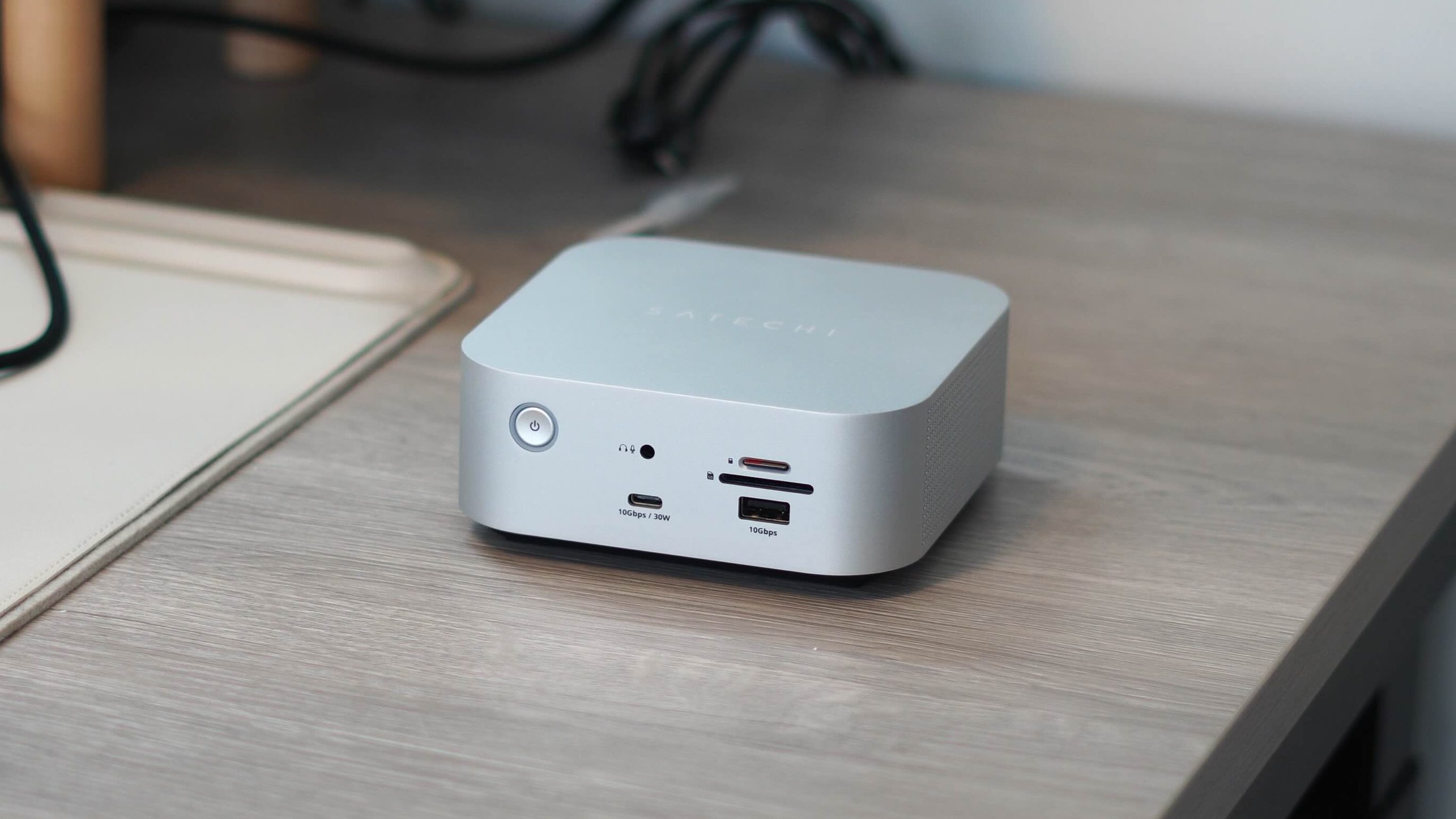
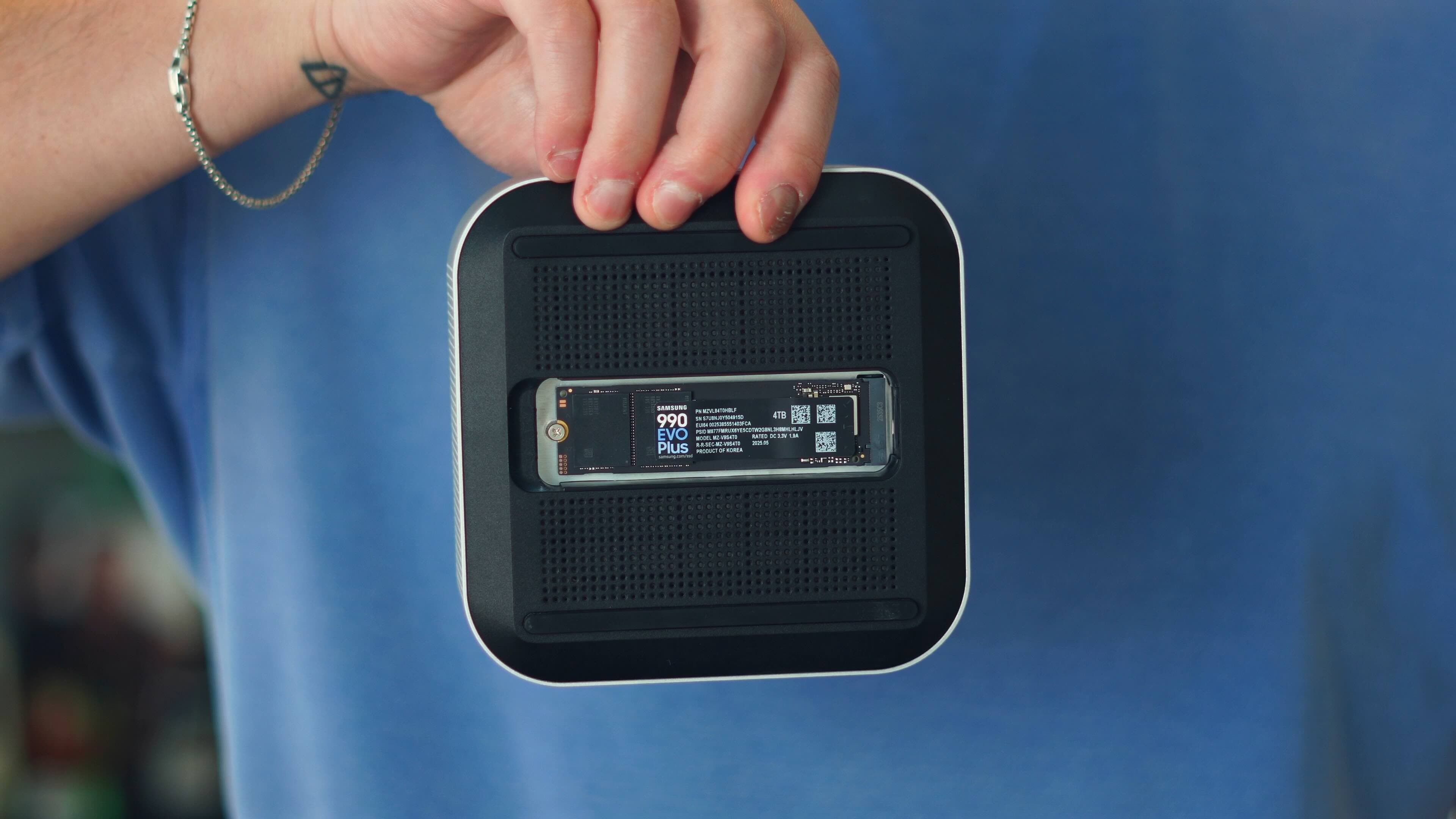
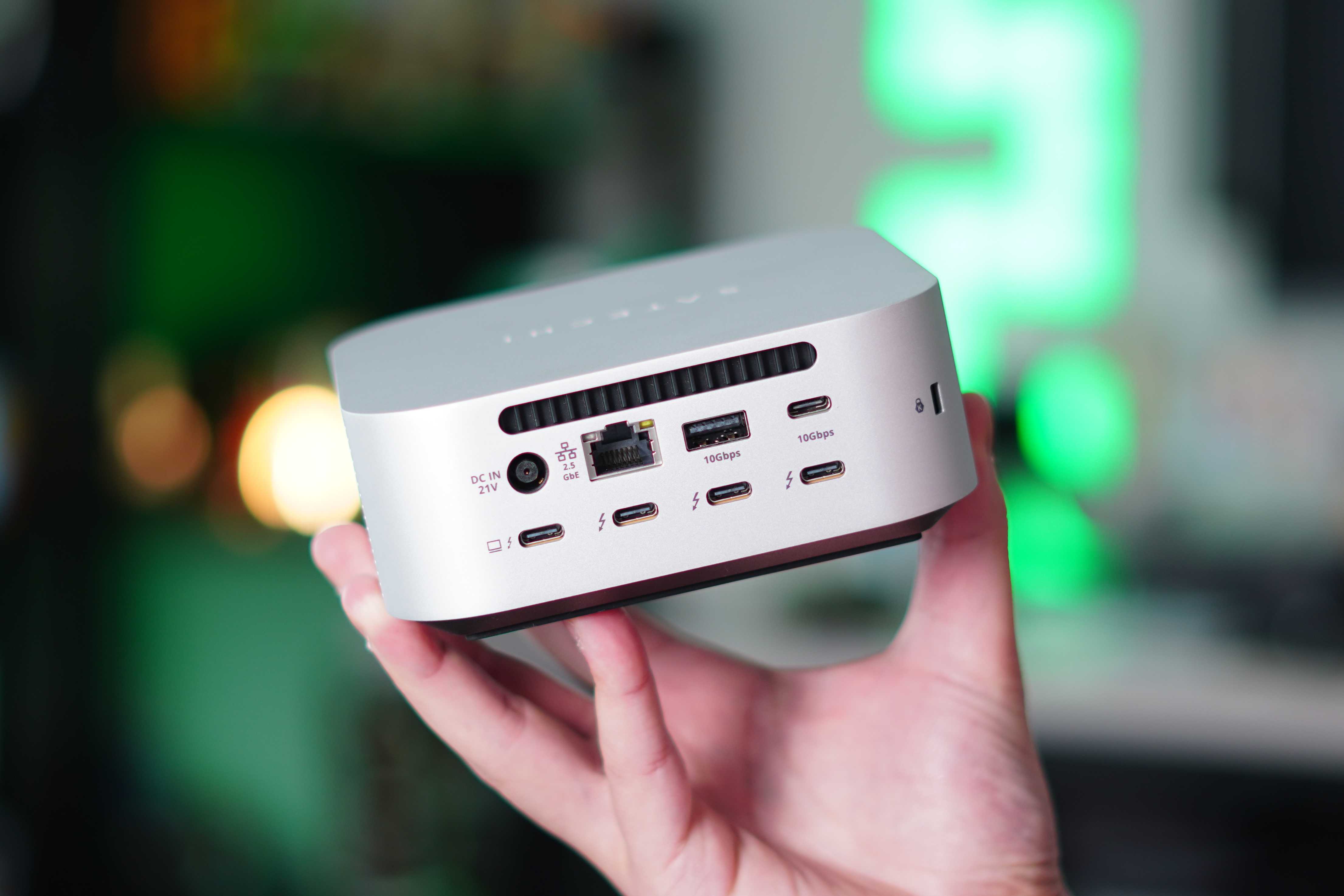
What really sets it apart from the rest is its built-in SSD expansion. This has really streamlined my workflow because I now have a repository of footage that I can always work from and return to. This keeps my MacBook Pro’s storage clear while still enjoying super-fast transfer speeds. Combine that with 140W fast charging, multiple display support, and a single-cable setup, and it’s been perfect for my use cases. It also helps that it’s literally identical to an M4 Mac mini!
The Satechi CubeDock is available on Amazon and the Satechi store for $399.
I’m a big fan of this new wave and trend of high-power desktop charging stations. I’ve tested a ton of them over the last couple of years. There are many good ones out there, and you can find one that meets all of your specific needs. But the CUKTECH 30 Ultra represents peak charging performance. It provides up to 300W of charging power and, like the Satechi CubeDock, has a feature you rarely see.
Main Features and Specifications
- 300W total output power
- Dedicated DC power output
- 140W Dual USB-C PD 3.1 Charging
- 5-port charging configuration
- Real-time digital display
- Active cooling and thermal management
- Includes 240W USB-C cable
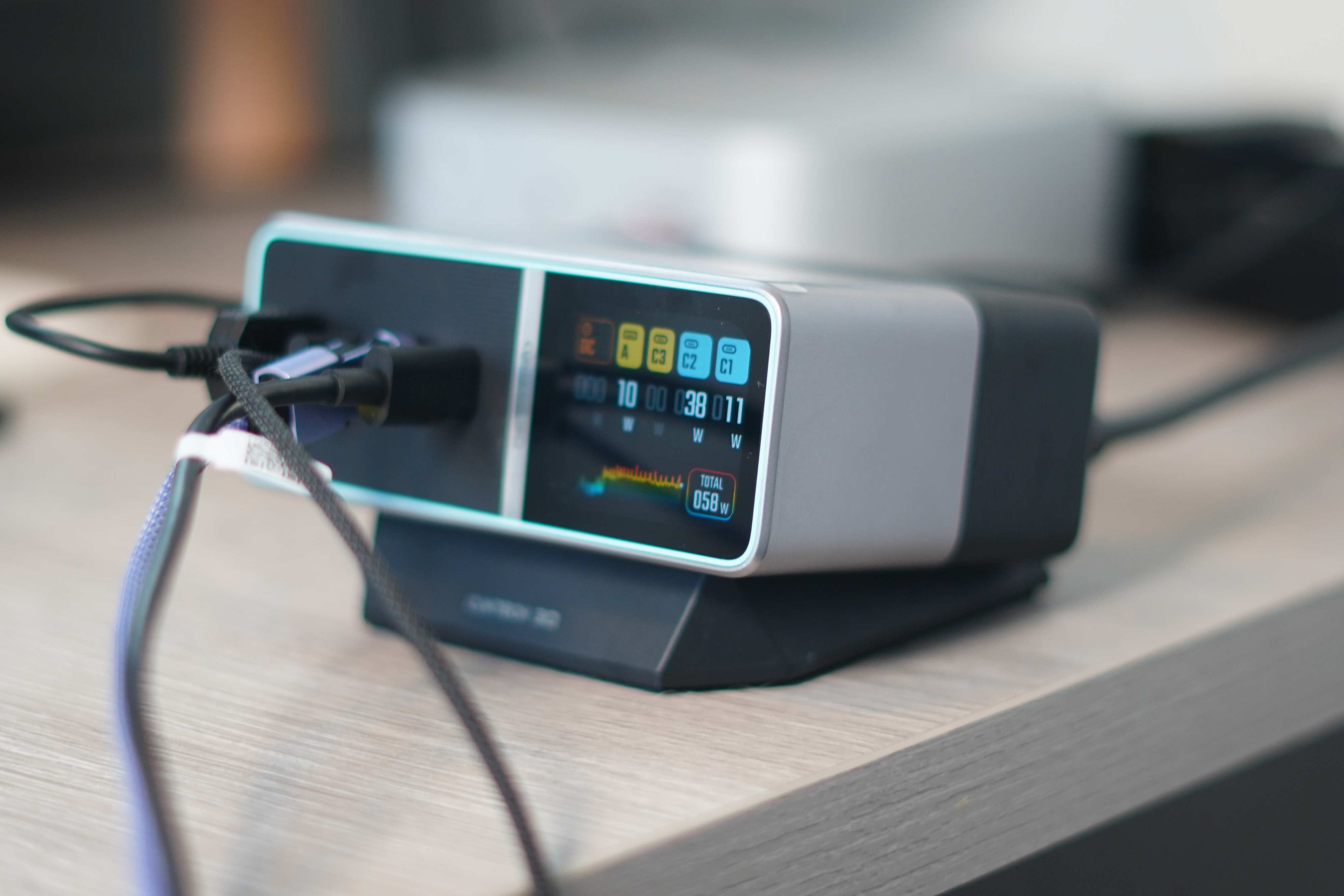
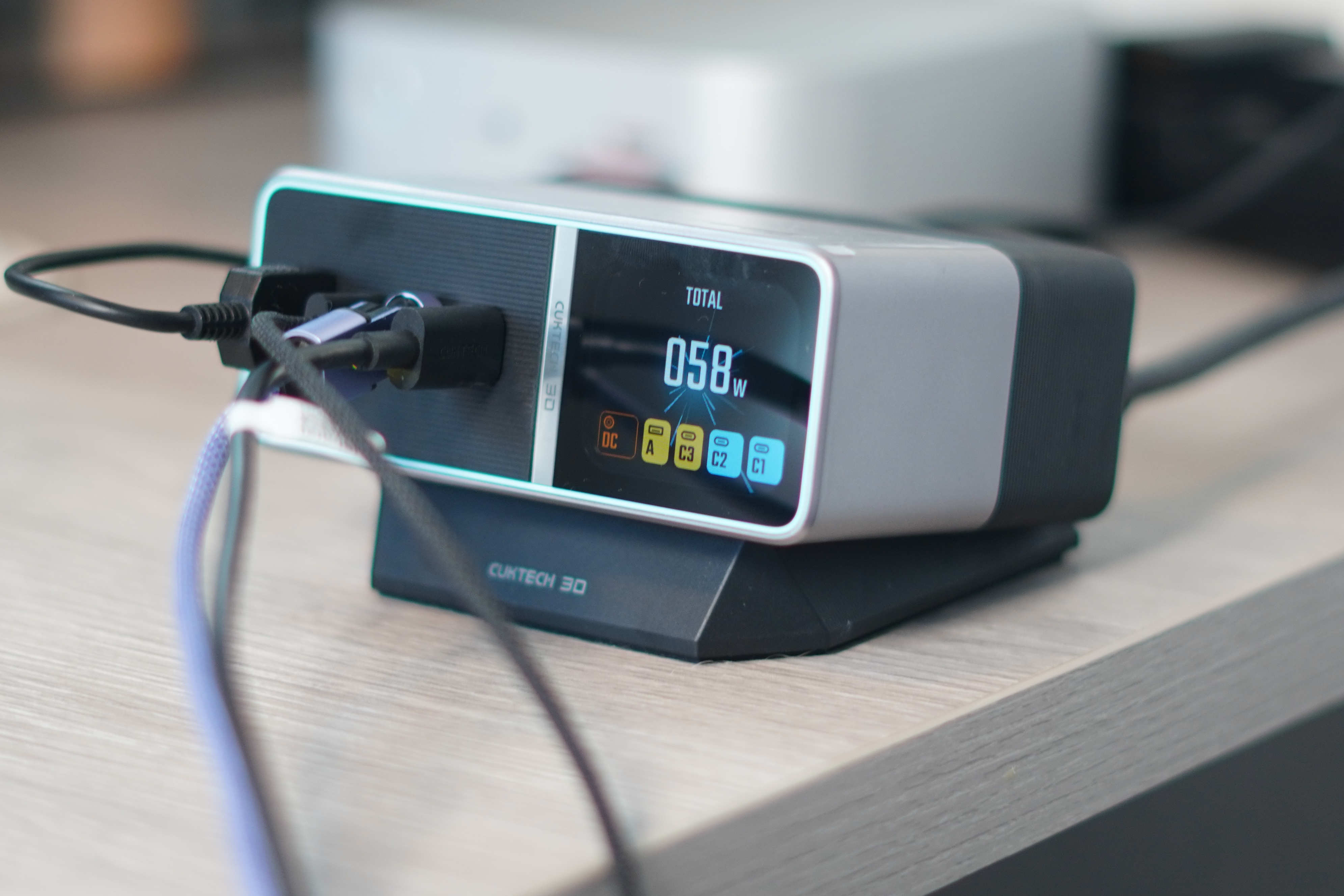
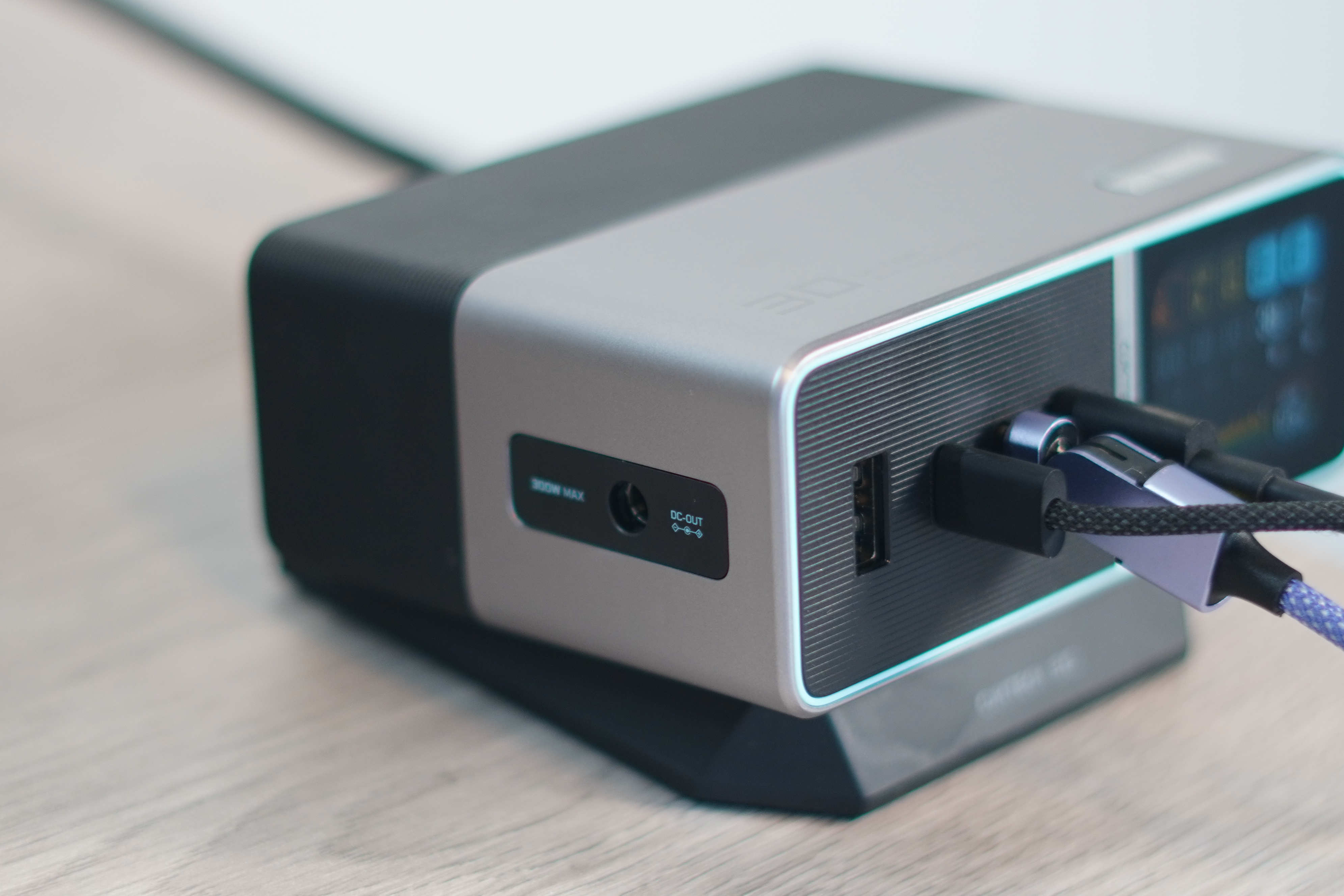
Of course, the highlight is the 1.8-inch diagnostic screen. It gives you all the reading you could want. From amps, volts, and wattage readings to temperature and wave graphs, and even telling you what brand of product is being charged. I like that they kept a USB-A port for people like me who still use USB-A on occasion. They also included a DC output port for people who use products like gaming laptops, and it can deliver the full 300W to a device with the included DC output port and cable. Very niche, but great to have.
The CUKTECH 30 Ultra is available on Amazon for $159, but there’s a 10% off coupon on the product page, bringing it to just under $145.
As you grow wiser with age, you realize the importance of a comfortable, ergonomic chair. I sit (and sometimes stand) at my desk 8-10 hours a day. So it is extremely important to have a chair designed to handle this. I recently upgraded my chair to the LiberNovo Omni, and man, am I impressed!
Main Features and Specifications
- Dynamic ergonomic support
- Built-in spinal stretch
- Tilts from 105° to 160°
- The armrests move back 100 mm
- Rechargeable battery, up to 30 days of daily use per charge
- Built-in massage functionality
- Motorized lumbar adjustments
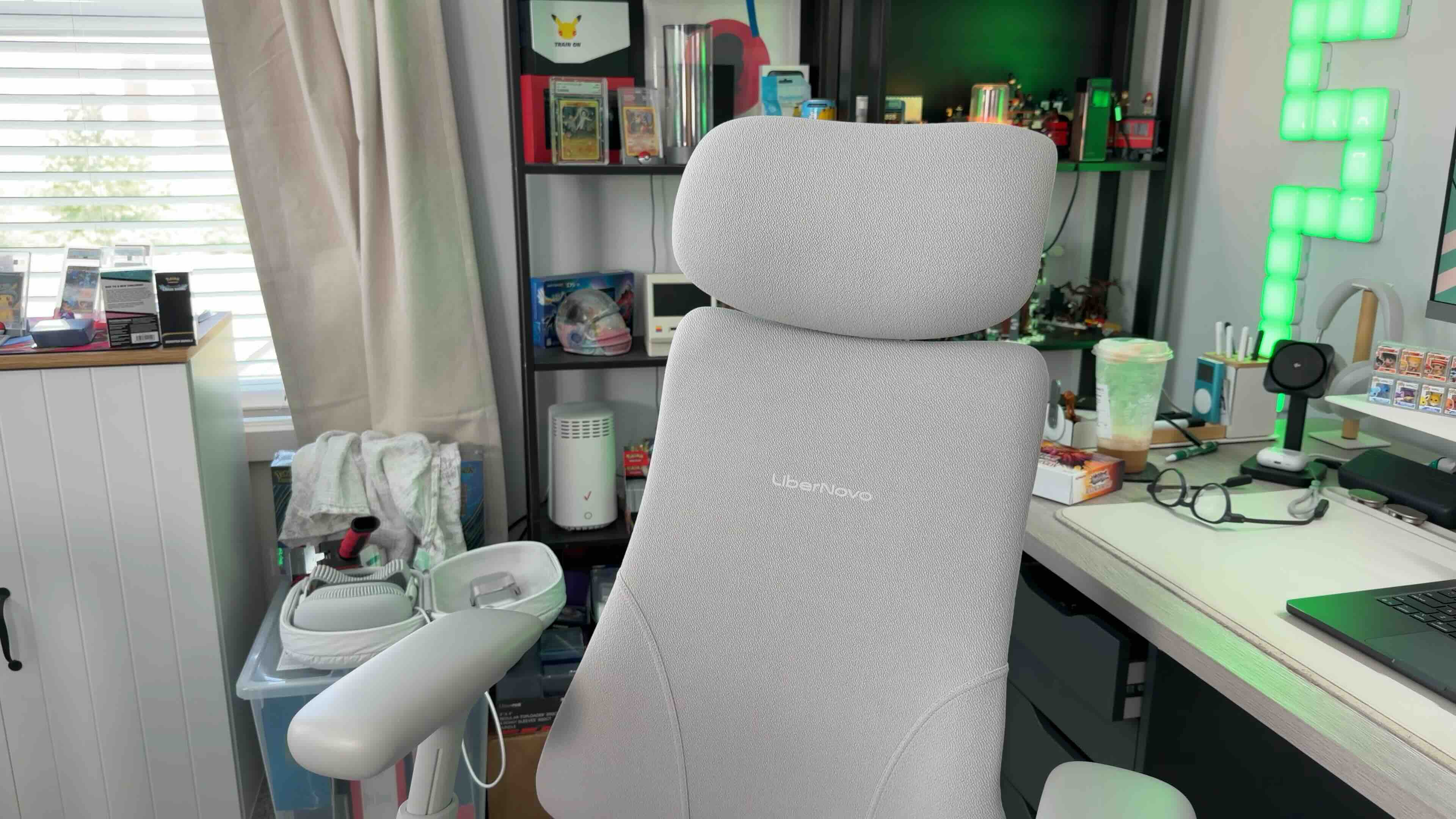
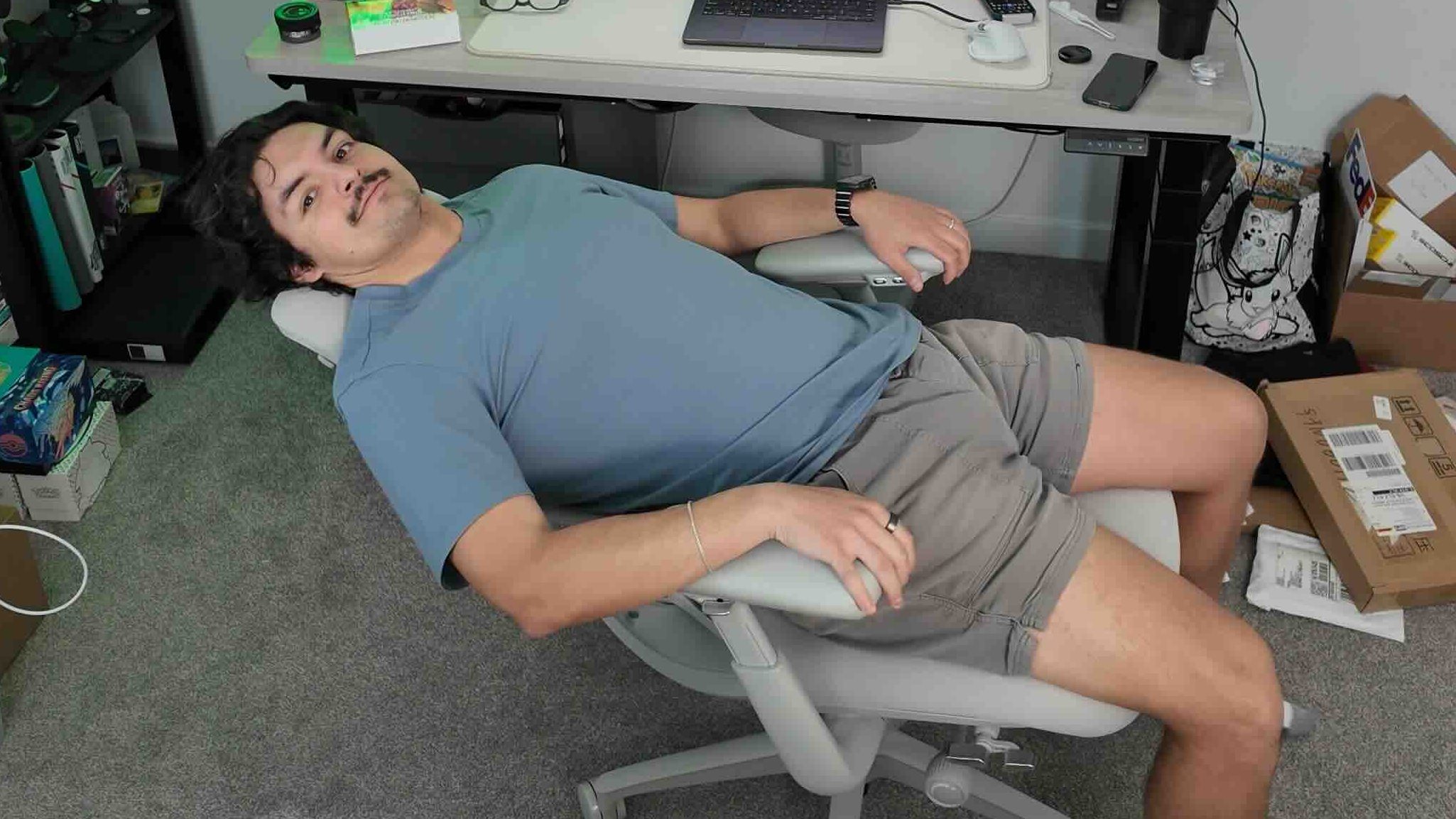
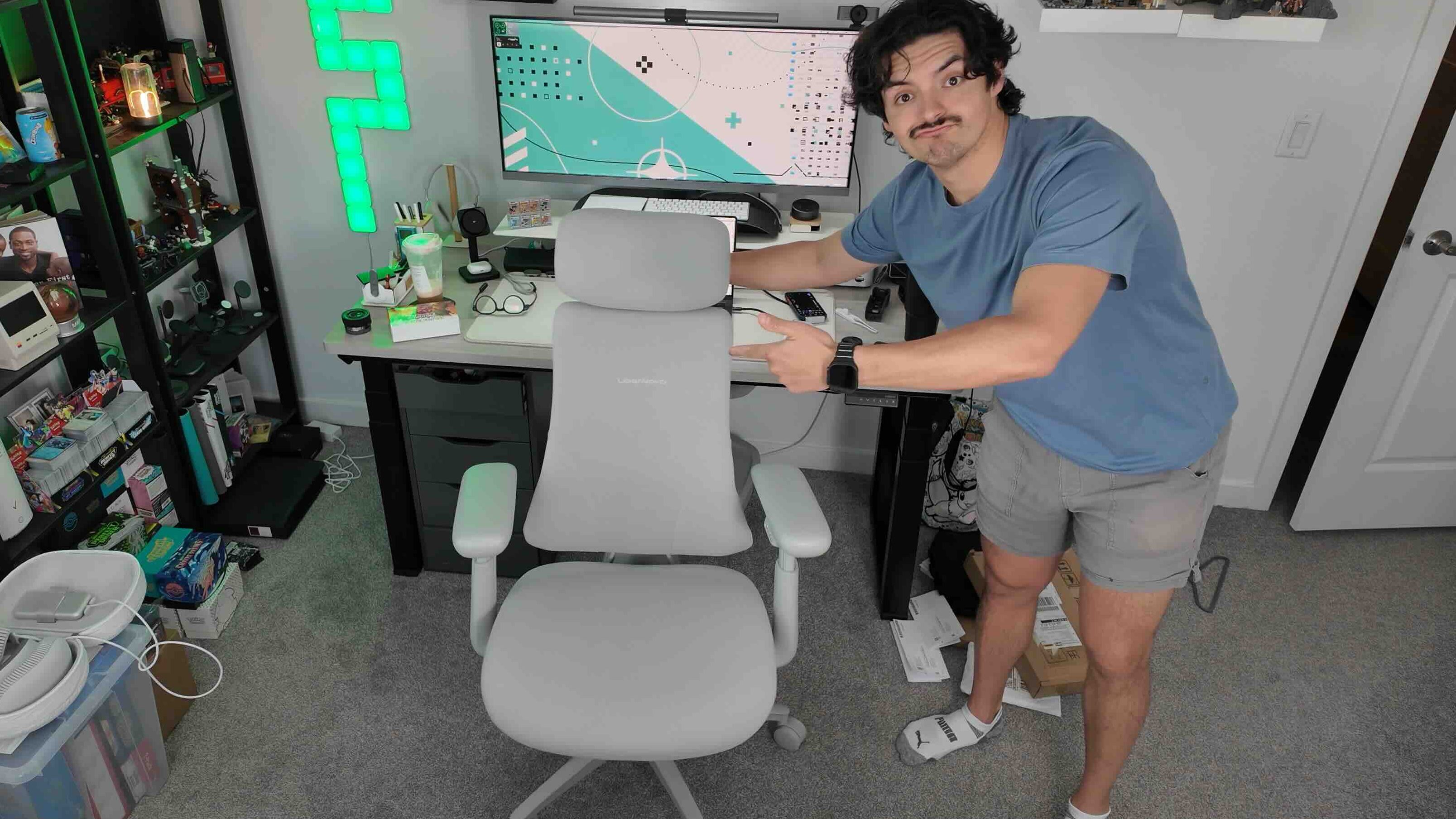
What sets it apart is how adjustable and dynamic everything is. From the recline, height adjustment, headrest, and massage function, it’s like sitting on a cloud. The memory foam seat is incredibly comfortable during my long editing sessions, and I was surprised at how much I enjoyed the massage features. At first, I thought it would be a bit gimmicky, but I use it every day.
While it’s not as expensive as a Herman Miller chair, this high-end office chair starts at $929. Five years ago, I would have laughed at this price for a chair, but as I said, as you get older, you understand why these high-end chairs are so popular. It’s worth the investment for the right person.
This is my oldest product on this list. It’s been living on my desk for over three years now. You might wonder what’s so special about a desk pad. But there’s a lot to like about the Orbitkey desk pad, because it quietly adds functionality to something that usually only does one thing.
Main Features and Specifications
- Made from vegan leather
- Hidden document storage compartment
- Magnetic Cable Organizer Rail System
- Felt bottom to protect the desk
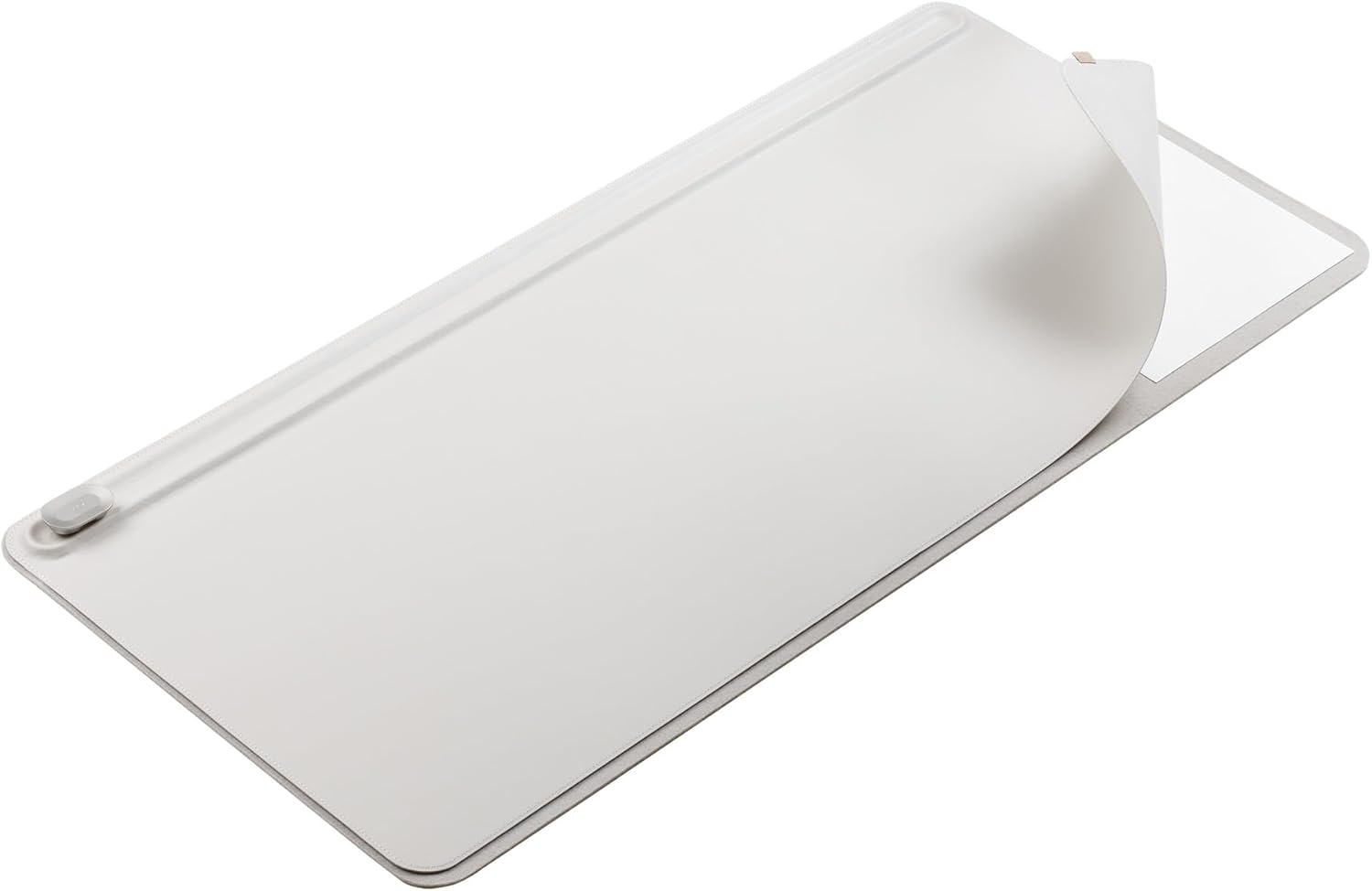
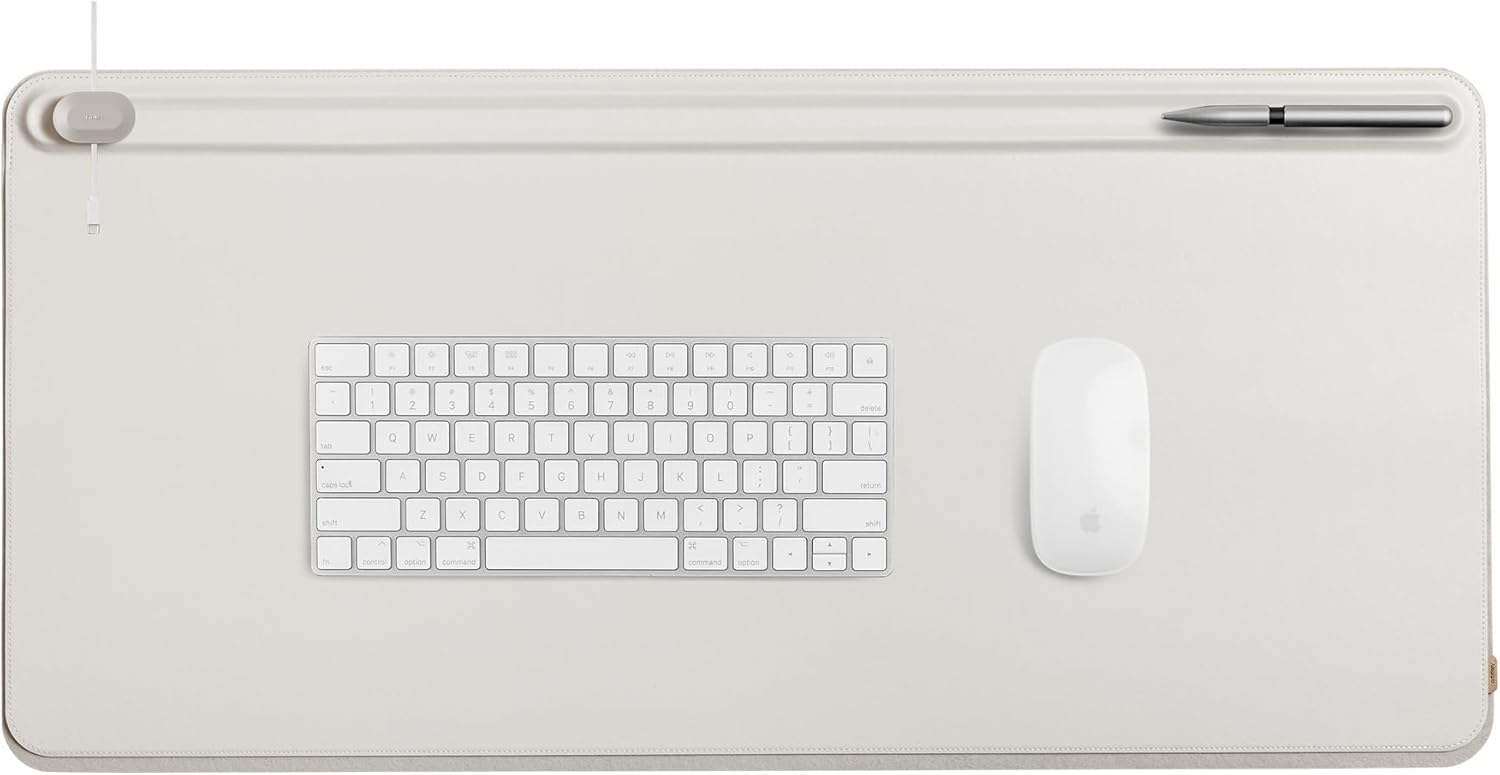
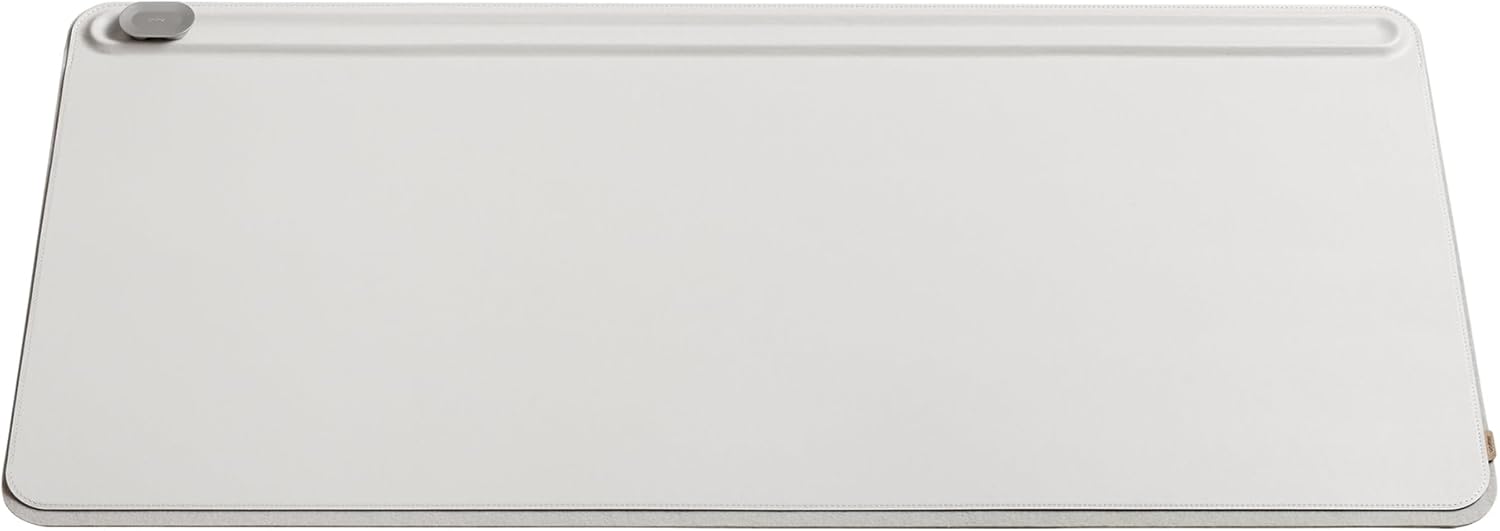
The magnetic cable management system on the top of the desk pad is awesome. It’s so well implemented. Use the included magnetic organizers and place them anywhere along the rail system to make it easy to grab your peripheral cables when needed. The second awesome feature is that it is double-layered. You can lift the vegan leather part and slide in brochures, loose papers, or anything flat. A great way to keep documents around you but out of sight. So you can retrieve them when you need them.
The Orbitkey desk pad is available in several sizes. I have the XL version, which costs $99. They also have a slim version for $85. It comes in two colors, black and stone (mainly white)
This is one of the most recommended mice you will ever see. Youtubers have been recommending them for years. It took me a while to get on board because I had a Logitech Anywhere mouse that still worked great. But after getting my hands on the MX master 4, I finally saw the appeal.
Main Features and Specifications
- Haptic sensing panel
- Dynamic Action Ring Overlays
- MagSpeed scroll wheel
- Scrolls up to 1,000 lines per second
- USB-C charging
- Bluetooth connectivity and USB-C dongle
- Thumb scroll wheel
- Quiet click buttons
- Ergonomic design
- Support for multiple devices
Although Logitech has made some impressive improvements between the Master 3 and Master 4, like the new haptic touchpad and productivity-focused shortcuts, the real reason I like this mouse is simply how comfortable and refined it is. The scroll wheel, quiet clicks, thumb side scrolling, and overall ergonomics are simply excellent. This has really changed what I look for in a mouse, and I see myself using this one for years to come.
The Logitech Mx Master 4 is available for $119 and comes in two colors: black and white.
Final Thoughts
The best thing about any office setup is that it is very personal and subjective. What works for one person may not work for another. So I like to salvage items from other people’s desk setups to see if they fit into mine. But I’ve learned that nothing beats the longevity of a premium product. Having pride that lasts more than 5 years is becoming increasingly rare. So when I find something I like, I make sure it lasts. And these accessories were built to last and make my life even better when I’m working at this desk 8+ hours a day.