OpenAI brings Codex remote access to the ChatGPT mobile app
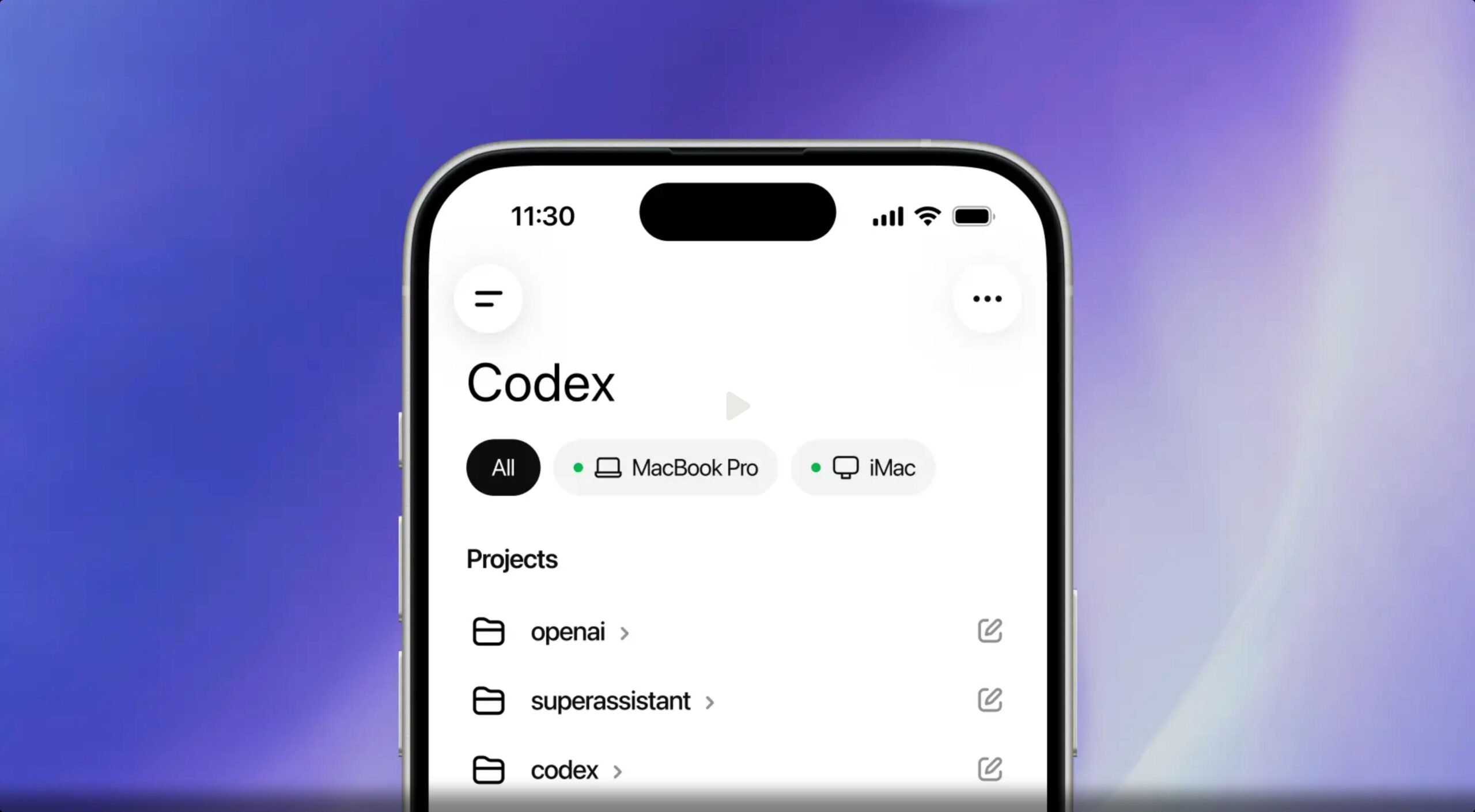
OpenAI has integrated its Codex coding agent into the ChatGPT mobile app, giving iPhone and Android users remote access to Codex sessions running on a Mac.
“Codex is now in the ChatGPT mobile app so you can stay in the loop from anywhere while Codex works on your laptops, devboxes, or remote environments,” OpenAI said, announcing the feature.
Codex remains a standalone app on Mac, but mobile integration resides within the existing ChatGPT app on iPhone and Android. The setup is quite simple. First, update the Codex Mac app and ChatGPT mobile app, then select the new “Mobile Codex” section in the Mac app interface. Scan the QR code it displays with your phone and you’re done.
Once connected, the mobile app loads live status from the Mac Codex is running on, and you can pull up active discussions or projects on the desktop, receive notifications when Codex finishes a task or needs input, and start new tasks by sending a message from your phone.
From the ChatGPT app, users can also review output, approve commands, switch between models, and add new prompts in active threads. Files, credentials, and permissions stay on the machine Codex is running on, while screenshots, terminal output, diffs, test results, and approval requests come back to the phone in real time.
OpenAI notes that Codex will access desktop files, apps, and browsers to perform tasks sent from a phone, and warns users to only pair devices they own and trust.
You asked for this one… Now in preview: Codex in the ChatGPT mobile app. Start a new job, review results, drive execution, and approve next steps, all from the ChatGPT mobile app. Codex will continue to work on your laptop, Mac mini, or devbox. pic.twitter.com/9i2Jckjt9z
-OpenAI (@OpenAI) May 14, 2026
This feature follows OpenAI’s recent launch of a Codex Chrome extension, which allows the agent to work directly in the browser to test web applications and extract context between tabs.
OpenAI says support for remote Codex access for Windows will follow soon.