
Apple Maps is one of several apps with new features in iOS 26.5, the latest update for the iPhone. Here’s what’s new for Maps users.
#1: “Suggested Places” feature in the search screen
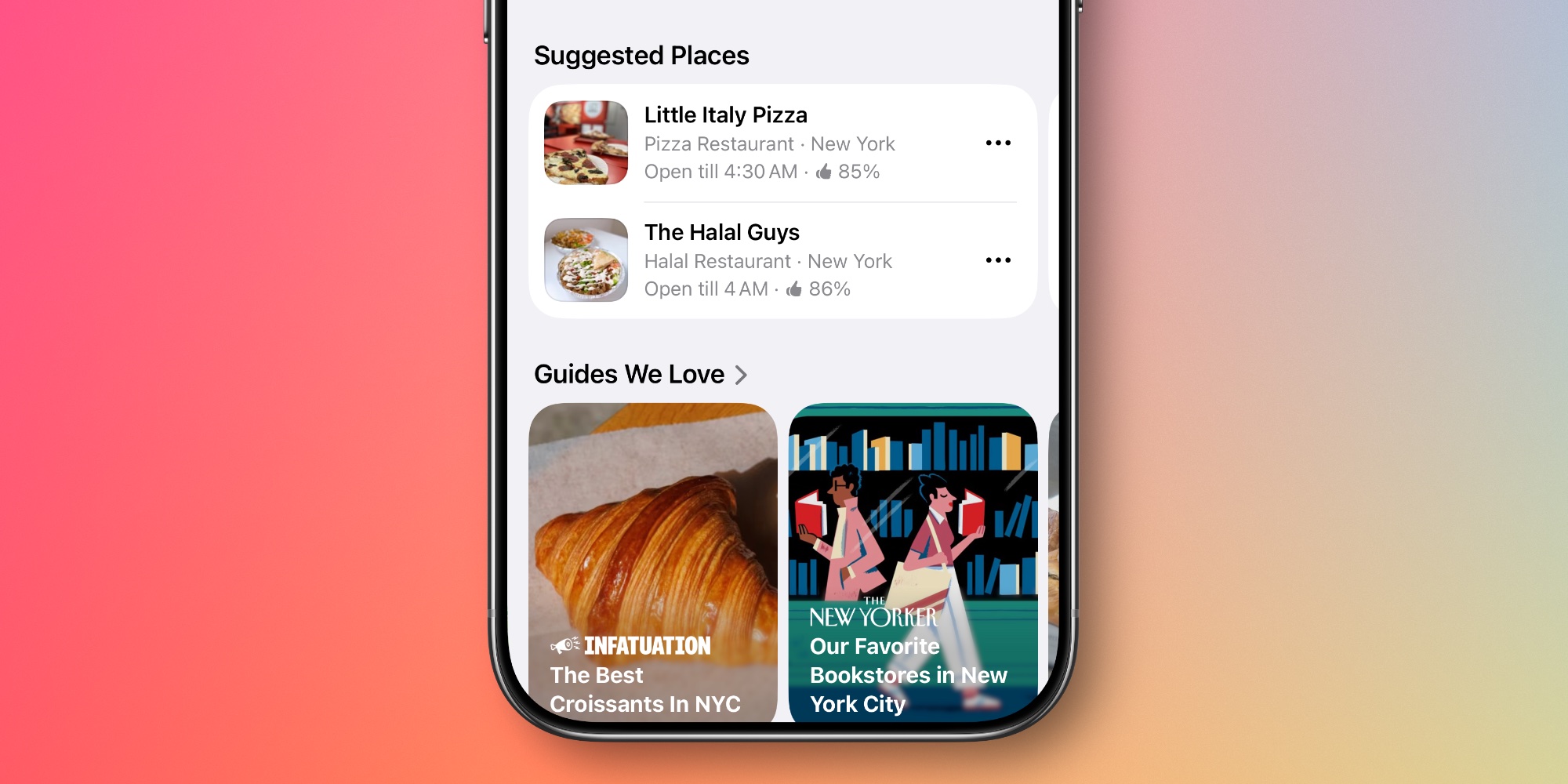
One of my favorite new features in iOS 26.5 is the addition of “Suggested Places” in Apple Maps.
“Suggested Places” adds two recommended places to the Maps search screen each time you tap the search bar to search.
These recommendations are based on two main factors:
- What are the trends nearby
- Your recent search history
Suggested places tend to refresh often: in my experience, almost every time I open the search screen.
So if you’re looking for spots near you, both recommendations will be based on your area. But if you’re planning a vacation to New York and just looking for something there, Apple Maps will instead offer two New York-based recommendations.
#2: Ads Support Before Summer Launch
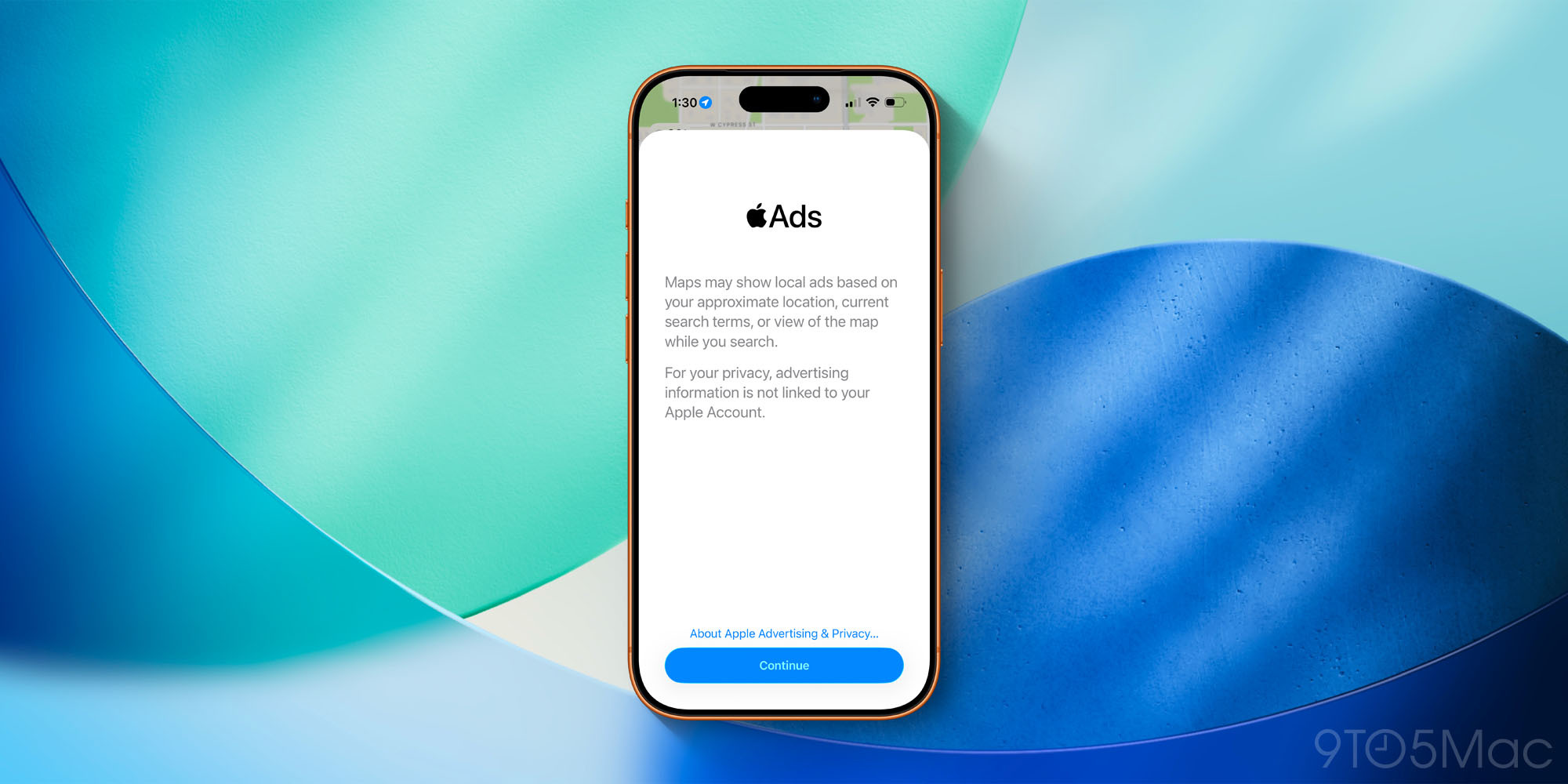
If you’re using iOS 26.5 in the United States and Canada, your iPhone will alert you about its support for another Apple Maps change: ads.
The ads have not yet officially launched in Apple Maps. Apple previously announced it would launch this summer.
However, iOS 26.5 introduces compatibility for the next rollout. And it notifies users via a new ads pop-up when Apple Maps is open.
Here’s what it says:
Maps may serve local ads based on your approximate location, current search terms, or the map view while you search.
For your privacy, advertising information is not linked to your Apple account.
Apple’s two-stage rollout is understandably confusing some users.
For example, Polymarket told its 1.4 million subscribers on X: “Apple is officially rolling out ads in Apple Maps. » Which isn’t technically true, but it’s hard to blame them since users updating to iOS 26.5 will be greeted by pop-up ads in Maps.
To learn more about how ads will be included in Apple Maps, see our previous coverage here.
How did iOS 26.5’s Suggested Places feature in Maps work for you? Let us know in the comments.
Best iPhone accessories

FTC: We use automatic, revenue-generating affiliate links. More.
