
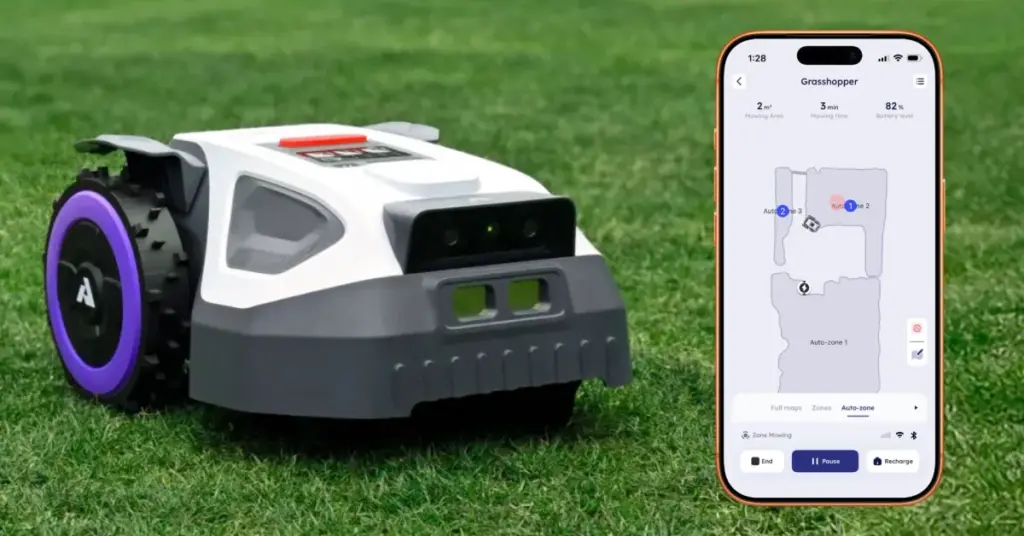
I haven’t mowed my lawn in over a month, but it’s maintained like a golf course. That’s because I went from a push mower to a robot mower that I manage from my iPhone. It’s the Anthbot M9, and it’s by far my favorite new tech that I’ve tried this year.
The Anthbot M9 robot lawn mower is actually easy to install and use
When the Anthbot M9 robot lawn mower arrived for testing, I postponed installing it until I had a few free hours to devote to using it.
In reality, it took me less than 30 minutes to unbox everything, set up the hardware, and configure the app. Since the arrival of the Anthbot M9 robot lawn mower, I have been surprised and impressed by this thing.
Anthbot M9 includes three pieces of equipment: the robot lawn mower, the charging station and a sensor called RTK reference station.
More primitive robotic lawn mower systems rely on burying a perimeter wire. This is not the case here.
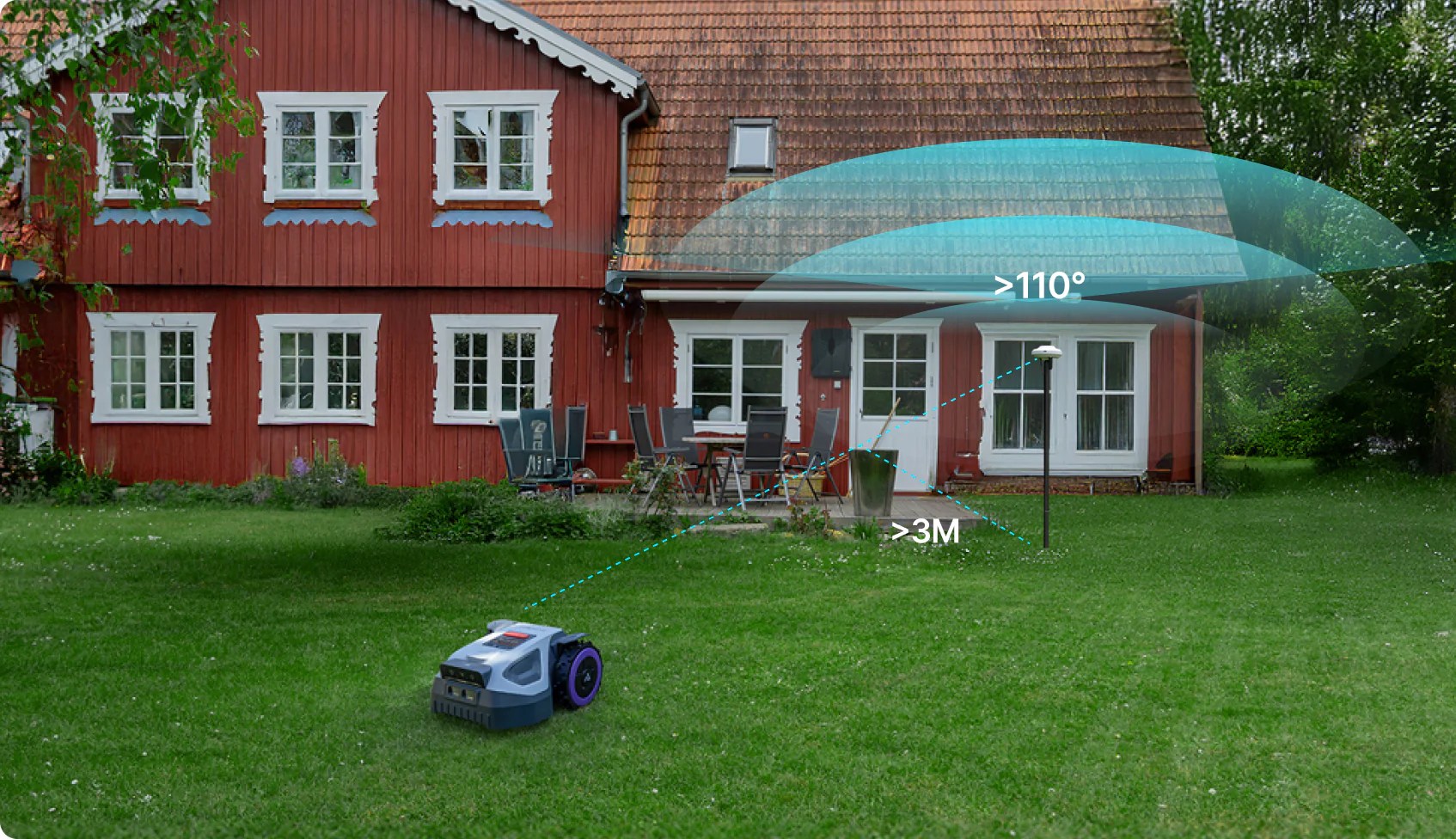
I chose a spot with a clear view of the sky in the yard for the RTK reference station. It attaches to a post that includes a forked end to simply sink into the ground. No need to dig.
Next, I positioned the charging station in a spot at the edge of my back patio where the Anthbot M9 robotic lawnmower can call home.
A wire connects the RTK sensor station to the charging station and a power cable connects the charging station to the nearest power outlet.
I was able to hide both cords by running them along the concrete of the patio. The box contains a handful of plastic tips that hold these cords in place. After over a month of rain and robotic lawn mowing, they are still out of sight and have required no attention.
The app lets you manage the experience from your iPhone
Once the hardware is in place, the rest is done from the Anthbot iPhone application.
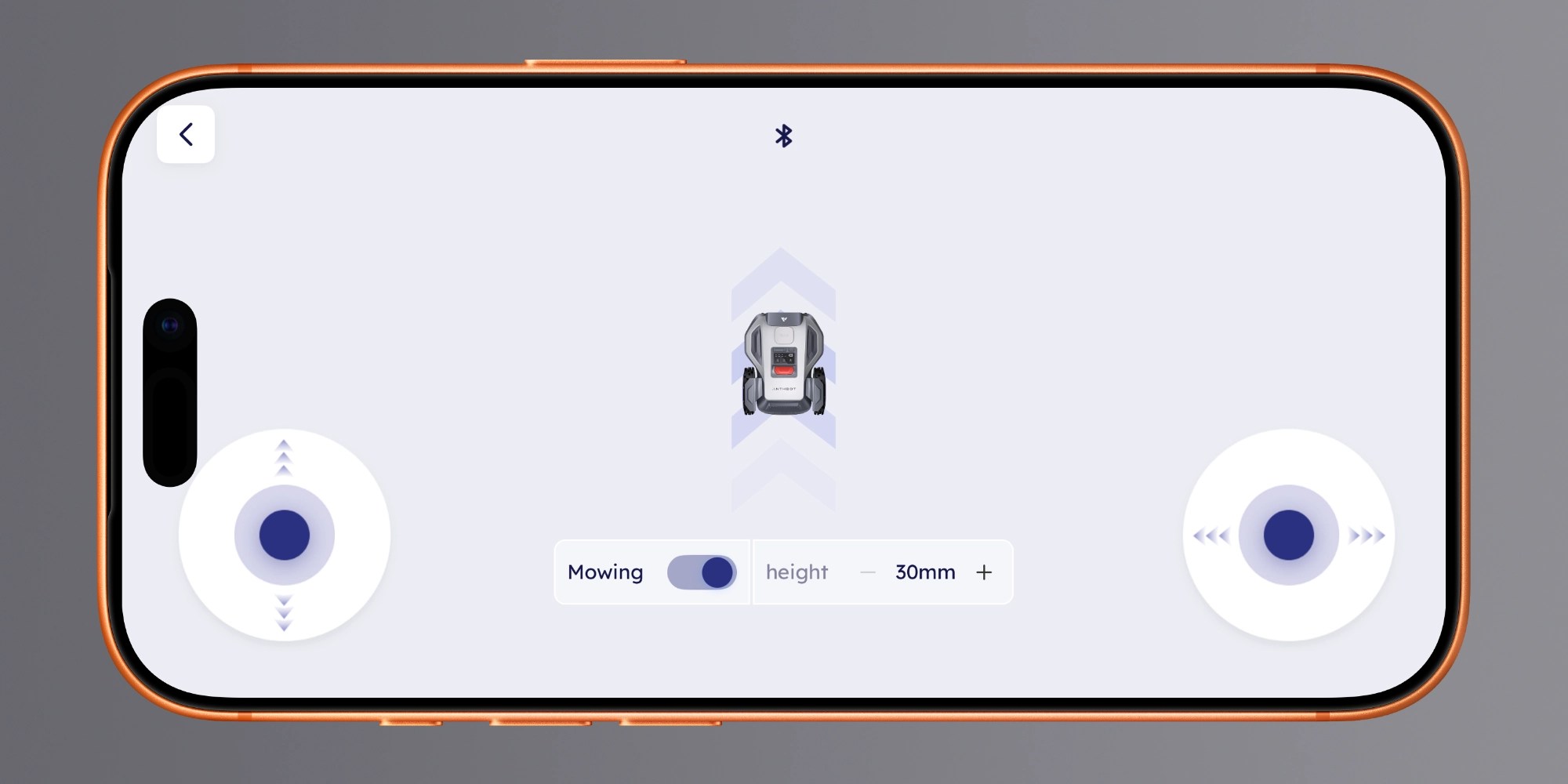
I completed the setup process by manually controlling the Anthbot M9 robot lawn mower from virtual controls on the iPhone to create a digital map of my garden.
There are a few areas to avoid, like dirt near holes and large tree roots, where the robot lawn mower could get stuck. The app lets you mark these locations as areas to avoid on the map.
From there, Anthbot M9 found work. The robot lawn mower is incredibly quiet. Without the mowing progress made, you might wonder if it worked at all.
The app has changed several times since I started testing Anthbot M9.
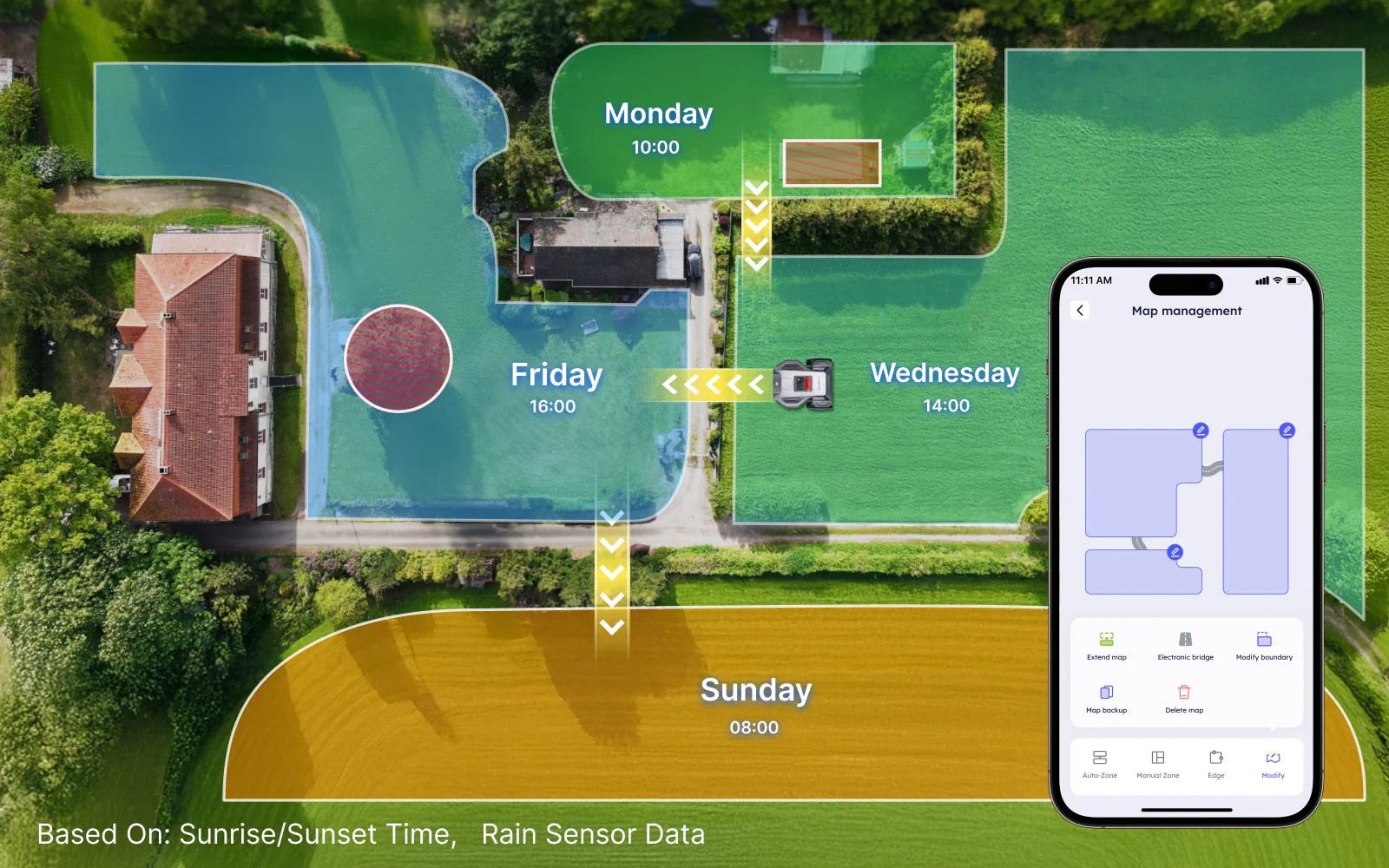
It allows you to set the mowing direction with lots of customization. The current version includes the ability to mow in a crisscross pattern, mowing twice per job, to be completely thorough.
Because it’s so quiet and detailed, I find it incredibly satisfying to just sit back and watch it work.
Anthbot M9 is ready to take on the weather, rain or shine
I’m new to the world of robot lawn mowers, so I still had questions after the first mowing job was completed.
For example, what should I do with the robot when it rains? Anthbot sells a “garage” accessory that goes over the charging station, but it turns out that’s completely optional.
The Anthbot M9 system is designed to exist in the rain without issue, and several days of precipitation have successfully tested this claim.
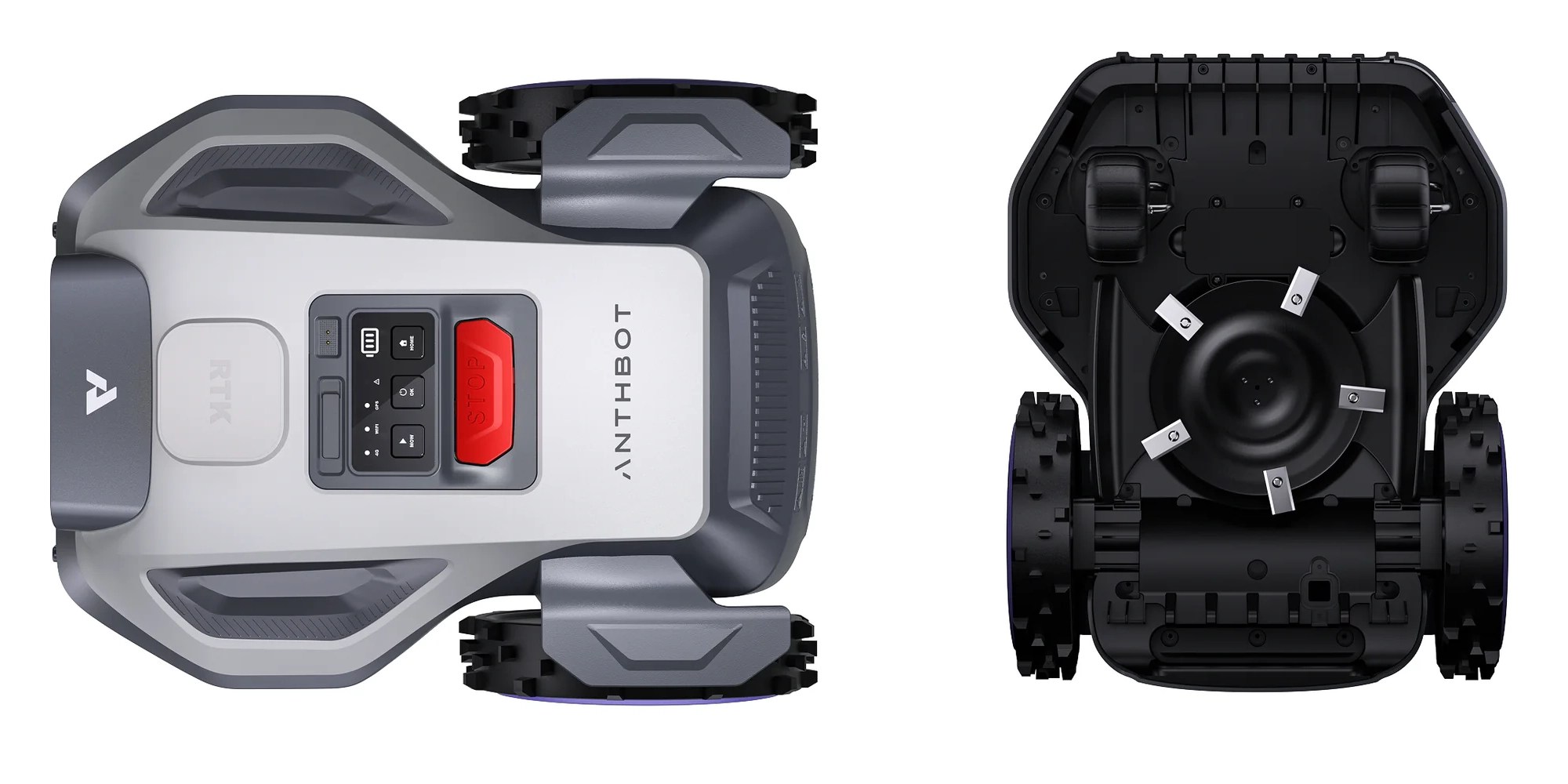
The robot even has a sensor that detects water and stops mowing work in the event of rain. It can automatically resume work after an assigned period of time once rain is no longer detected. It works well.
So the weather is not a problem. Solid.
A single RTK reference station supports the front and back lawn
The second happy surprise was when I fully realized how good the Anthbot M9 is as a robotic lawn mowing system.
I figured I would need a second RTK reference station to handle the front and side lawn on the other side of the fence. That was a stupid assumption on my part. Of course, the Anthbot M9 robot lawn mower can handle my entire yard without additional hardware. This is the purpose of the product.
After a few sessions of mowing the front and side grass myself, I became aware and tested adding the rest of my yard to the app’s map.
Exposing the robot lawn mower to the rest of the yard introduced some new challenges.
For example, there are areas to avoid, such as a mulched area around a tree, the sidewalk and driveway.
To avoid the tree in the center of the yard, the app lets you map the area to avoid by manually controlling the robot around the perimeter once. Works very well. For the driveway, the app allows you to assign it as a path between mowing areas.
Other information and details
You can manually control the robot lawn mower from the iPhone app to cut wherever you guide it. This can be useful for occasional missed patches of grass. Assigning each task to run twice per session will also take care of this.
The robot is height adjustable so you can determine the length or height of your grass, including by area. So far I have favored a height of 30mm, but I can get by with a height of 50mm for thicker grass.
An anti-theft feature can make the robot emit sounds if someone removes it from the designated mowing area. Even though I haven’t needed it, it’s good to know it’s an option.
Anthbot M9 supports connectivity via Wi-Fi or Bluetooth. Optional 4G cellular service is also supported.
During testing, I experienced a connectivity issue over a weekend that I think was related to the cellular rollout, but it resolved automatically. I was relieved, because the M9 robot lawn mower really was so reliable and useful before and after the connectivity issue.
The Anthbot app allows you to create zones for full control over lawn mowing preferences such as direction, scheduling, etc. This is useful because I need to open a door so he can leave the yard. I can easily tell him to just mow the back and not do a full job. You can also assign certain zones to certain days.
My dog is absolutely not bothered by the robot lawn mower. The M9 is definitely quieter than a robot vacuum cleaner.
One-time purchase with no ongoing fees
I especially like that it’s a one-time purchase that doesn’t require an active subscription. In terms of maintenance, Anthbot recommends turning all five blades every three to six months and replacing the blades every six to twelve months. The company sells a pack of 15 for $19.
Overall, I’m still surprised and pleased with how Anthbot M9 has performed as a lawn care solution over the past few weeks.
Anthbot M9 is remarkably durable. If it gets stuck and the app alerts you, you just pick it up and press a few buttons and it continues where it left off. When it starts a task, it automatically returns to the dock to recharge, then resumes the task until it is completed.
The most recent surprise for me was when I received a notification on my phone that work had resumed after sunset. It used its built-in headlight to mow in the dark. I took out the app and told the robot to go back to the charging station for the night, but it’s quiet enough that I don’t even hear it start.
Take from 9to5Mac
The bottom line for me is that it absolutely replaced the need to mow the lawn myself. I really enjoyed spending time outside with my dog or doing other yard work while the Anthbot M9 cut the grass.

The Anthbot M9 robot lawn mower maintains a routine that does not change depending on when I am free. I also appreciate not needing to buy gas or deal with slow-charging batteries in my push mower.
Anthbot M9 costs $899, and Amazon is currently offering the robot lawn mower for $80 off at $819. If a robot lawn mower fits your budget and seems like an intriguing solution to a summer chore, I highly recommend considering Anthbot M9.
For a limited time, Anthbot M9 is priced at $769 directly from their website, and 9to5Mac readers can save an additional $50 with our special link.

FTC: We use automatic, revenue-generating affiliate links. More.
