5 Siri Features That Work Better on an iPhone 18
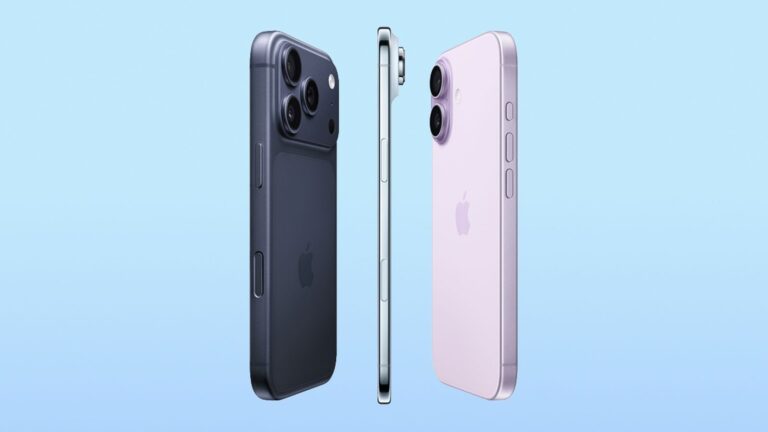
In September, Apple launched the new iPhone 18 Pro models, featuring a variable aperture main camera, more battery, new colors and an all-new processor that not only makes the iPhone even snappier, but also makes it ready for enhanced AI applications, content editing and demanding games. With that in mind, it’s only natural that some Siri features would also work better on this device, including new voice customizations for Siri, on-screen recognition, leveraging personal data, and more.
Even though all of the Siri features available with the iPhone 18 Pro are also available with the iPhone 17 Pro – and, despite voice personalization, all other features work with the rest of the Apple Intelligence-enabled iPhones – the new iPhones represent a quantum leap in performance over their predecessors. For example, the new A20 Pro chip has 50% more memory bandwidth than the A19 Pro, meaning it can transmit more information at the same time, graphics rendering is 40% faster, and a new 16-core dual neural engine accelerates on-device AI models with double the AI processing power of the previous chip.
With all of this, iPhone 18 Pro users can expect a snappier Siri, AI requests will be delivered much faster, and as Apple unveils new Apple Intelligence features in the coming years, the iPhone 18 Pro will be able to respond to complex queries, image creation, and some other features – as we noted in our review. Here are some of the new Siri features that work better on the new iPhone 18 Pro models.
New Siri voices

José Adorno/BGR
With iOS 27, Apple has significantly revamped Apple Intelligence with the new Siri AI, as we highlighted in our iOS 27 review. This updated personal assistant now uses the best Gemini models to understand a number of queries. However, in addition to improving everything the personal assistant can do, Apple is also concerned with how Siri will interact with people. After all, many people interact with AI assistants primarily through voice, and a robotic “hi” doesn’t really make the AI seem that intelligent. That’s why with iOS 27 and iPhone models with 12GB RAM, such as the iPhone 17 Pro and iPhone 18 Pro devices, users can customize Siri’s voice.
While this is an ongoing process, with more voices, languages, and tones added in the coming months, so far the most complete experience comes with the American English option. As of October 2026, iPhone users have access to seven different voices, five different voice rhythms, and five different expressiveness options. That said, users have several combinations to choose from. While my favorite is the standard “6” voice with a steady beat and a bit more expressiveness, users can quickly switch between them with an iPhone 18 Pro and immediately feel the difference when they next summon Siri AI.
Apple has taken special care to offer more masculine, feminine, and neutral voices, so users can choose the one they feel most comfortable with. The company also offers other options for different accents in English, such as British, Irish, Indian, and Australian.
Screen Awareness
José Adorno/BGR
Every Apple Intelligence-enabled device allows Siri to use on-screen recognition, as long as it’s updated to iOS 27. With the iPhone 18 Pro, the experience can be much faster thanks to its new processor. The personal assistant can read what’s on my iPhone screen and help me with a task. For example, if I want help understanding why a feature on my phone isn’t working, Siri will “read” the screen, figure out what’s wrong, and make a suggestion. It’s not just limited to getting help with my iPhone, either, as Siri can also locate an article on the web, help me fill out a form (as in “add my address to this section”), and much more.
Screen awareness can also work wonders in several other situations, like “I didn’t understand what my friend meant with this message” or “Can you tell me what this article is for?” ”, because the personal assistant will understand the context and offer an appropriate interpretation of what is displayed.
Better than that, if you’re trying to make plans with friends, you can ask Siri to help you based on the information it has stored about your friends, and once everything is set, it can add the information to the calendar or reminders based on what you’ve sent via iMessage.
Creating shortcuts
José Adorno/BGR
One feature that has become much more interesting with iOS 27 and iPhone 18 Pro is the ability to create natural language shortcuts. The Shortcuts app has been available for a few years now, but as simple as it is, I’ve always had trouble creating my own automations. For example, one of my favorites, the ability to use the action button to shuffle all my downloaded songs, was created by a friend of mine. Fortunately, I can now perform new automations using Siri AI – and even more complex tasks are done quickly thanks to the new A20 chip. On the Shortcuts app, you can say what you want a shortcut to do, and then Siri can intelligently create exactly what you wanted to do.
While Siri can’t create shortcuts like “Every time the iPhone stops charging, you have to tell me how hot the device is,” you can ask the assistant to generate automations like “Send a text that calculates my ETA relative to my partner’s address using Maps and send it to them.” This way, Siri can create the shortcut for you, but later you can say something like “Siri, I’m late” and the personal assistant will run the shortcut for you.
It can also be useful for other tasks, like asking Siri to create a Safari extension that lets Siri follow a web page. So whenever something changes, like some shoes you want to restock, you can get a notification and come back to the page to do what you wanted to do.
Use of personal information
José Adorno/BGR
If you have been using your iPhone for a very long time, in addition to Apple’s applications such as Mail, Apple Music, Contacts, Calendar, Messages, etc., you should know that it has finally paid off. With the new Siri AI, the personal assistant can mine information from these apps, so you can say something like “Can you find this podcast episode that this friend sent me a few weeks ago,” and the personal assistant will retrieve it for you. With this, Siri can help you find messages, navigate reminders, and even locate links that I completely forgot about.
To make good use of it, Siri must index all the information available on your iPhone, which can take longer on older devices. Additionally, with the release of iOS 27, several developers have implemented the App Intents API, which means Siri can also mine information about these apps. For example, Siri can tell you what your effort was during your last activity and how much impact it had on your activity path on a gentler streak – or even rate your sleep quality based on what the app has collected from you.
Siri is especially useful when navigating operating systems, as it can look up a PDF on my Mac’s desktop to help me answer a question on the iPhone, direct me to a message, photo, or email I’m having trouble finding, and much more.
Visual intelligence
José Adorno/BGR
Apple’s super-powered visual intelligence with iOS 27 and the new iPhone 18 Pro combined with a new processor and improved main camera makes this feature even better. For example, if you take a photo of a festival, Siri can intelligently create multiple calendar events for you and you can select which ones you want to attend. If you’re at a restaurant with friends, you can take a photo of the bill, turning the receipt into an interactive list. Each of you can use what you had and the personal assistant can indicate how much each person should pay.
Other familiar features, like taking a screenshot and then searching Google for a pair of jeans someone is wearing, translating text, or even adding information to the calendar, are also snappier, making the function much easier. You can also continue to use visual intelligence on monuments, museums, restaurants, etc. For food, for example, Siri can determine how nutritious your meal is based on what it sees, and you can also ask the personal assistant how you could make it even more nutritious next time.
Basically, Siri is capable of everything it wasn’t before, and while these features are also available for other iPhone models with Apple Intelligence, the new iPhone 18 Pro specs allow Siri to work much faster.