What happens if you skip Android 17 update?
Software updates have become as routine as a check-up at the dentist or changing the oil in your car. They are also likely to sometimes bring bugs and downright horrible changes. For example, the recent Android 17 update has issues that need to be addressed, such as eSIM functionality, GPU performance, and other issues. As such, some users may be hesitant to accept the update on their phone, but what exactly could happen if you decide to skip the Android 17 update?
If your device is still set to receive Android OS upgrades, the first thing to know is that you’ll be missing out on new tools, performance upgrades, and security patches. Skipping an update also prevents you from receiving future updates until it is installed. But if you really insist on it, in most cases you can delay installing the update indefinitely as long as you adjust your phone’s settings or turn off Internet access. In some cases, if your phone has certain issues, it may actually be forced to automatically install an update.
Can I avoid Android 17 update?

Justin Sullivan/Getty Images
When Google releases a new version of Android, it’s usually able to push these updates over-the-air to supported Pixel phones at the same time. Other phone makers, like Samsung and Motorola, may take longer to customize the feature set, while older phones from third-party OEMs may have to wait months to receive an upgrade after newer phones. The easiest way to avoid automatic updates is to turn off automatic downloads in the phone settings. You can also check the “System Update” section of your device settings to see if updates can be downloaded or even installed while your device is connected to Wi-Fi overnight.
There are rare cases where a software update automatically installs on a device, such as if it is controlled by corporate fleet management or if it becomes unsafe to use. The latter could be triggered by a product recall or a zero-day security vulnerability that needs to be fixed. If you want to completely eliminate these types of updates, your best bet is to simply turn off the phone’s Internet access. That being said, there is no way to stop your phone from automatically scanning and notifying you when an update is ready to download. You can reduce the visibility of these notifications through a series of toggles; To access it, open the notification shade, pull left on the notification card to reveal a settings or options button, and tap it.
Is Android 17 worth updating?
Samuel Boivin/Shutterstock
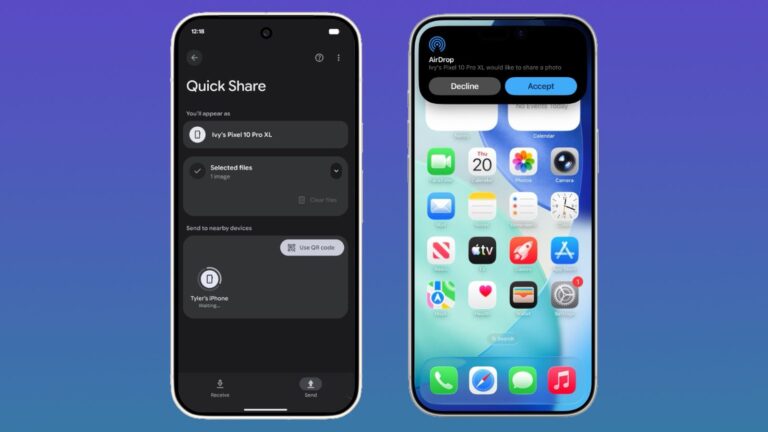
Android updates aren’t as dramatic as they were when the platform was in its infancy, but later improvements, including Android 17, still have some underrated features that might surprise people. On-screen reactions are probably the standout in this bag of tricks, allowing you to chromat directly into the content that’s on your phone as you speak about it. No need to open Instagram, Snapchat or TikTok to create a clip that can be streamed across all of these apps.
Besides the big display panel features, there are often very minor changes spread throughout the operating system that could mean a button is moved, a prompt window is removed, or new emojis are added. Needless to say, there are security fixes in every update, so if you miss them you risk getting hacked. And if you choose not to install an update, you also opt out of installing future updates, because changes made in these OTAs may depend on those made previously.