
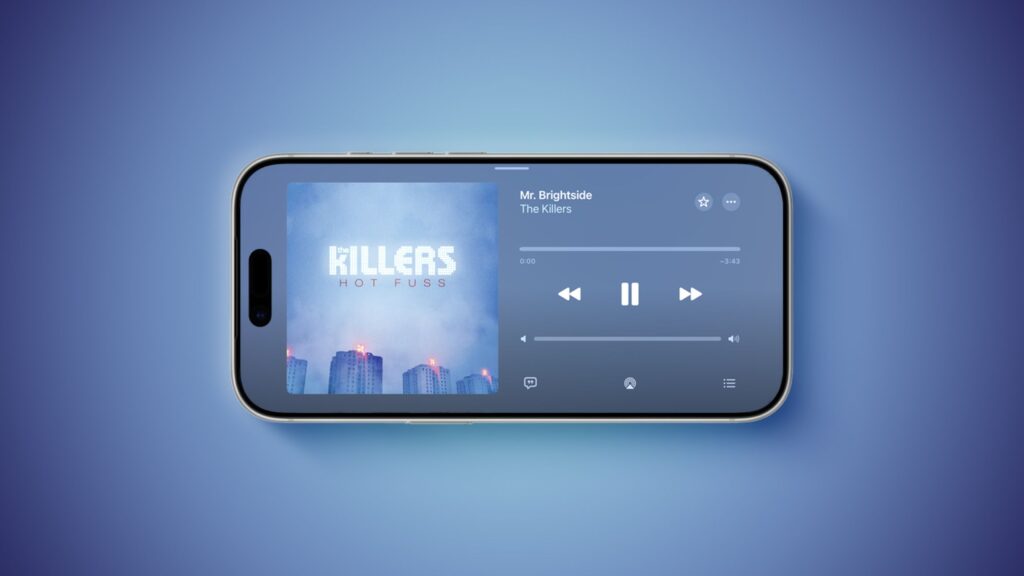
iOS 27 enables landscape mode in more of Apple’s built-in iPhone apps, including Apple Music, Podcasts, Fitness, Health, Reminders, Home, Shortcuts, Apple Watch, Find My, Weather, Voice Memos, Apple TV Remote and others.
In the Apple Music and Podcasts apps, landscape mode support is currently limited to the audio player.
Many apps have a left-aligned sidebar in landscape mode. In the Messages app, which already supported landscape orientation on iOS 26 and earlier, you can now collapse the sidebar to show only names and profile photos.
/article-new/2026/06/Messages-Landscape-scaled.jpeg)
/article-new/2026/06/Weather-Landscape-scaled.jpeg)
/article-new/2026/06/Podcasts-Landscape-scaled.jpeg)
/article-new/2026/06/Fitness-Landscape-scaled.jpeg)
/article-new/2026/06/Health-Landscape-scaled.jpeg)
/article-new/2026/06/Apple-Maps-Landscape-scaled.jpeg)
Landscape mode was already available on iOS 26 or earlier in Apple Maps, Calendar, Files, Notes, Mail, and some other Apple apps, but iOS 27 expands support to many more apps. This change could lay the groundwork for the “iPhone Ultra” as landscape-friendly apps would be well suited to the rumored foldable device.
iOS 27 also adds landscape support for Live Activities in Dynamic Island.
To use landscape mode in a supported app, simply turn your iPhone sideways. Portrait orientation lock should be turned off in Control Center.
Landscape apps were more common on iOS many years ago. In fact, the Home screen grid supported landscape orientation on the iPhone 6 Plus, iPhone 6s Plus, iPhone 7 Plus, and iPhone 8 Plus, but this feature ended with the iPhone X.
iOS 27 is currently in beta and is expected to be released in September, when Apple is also reportedly planning to unveil the “iPhone Ultra.”
